No-Code Chatbot Guide 2026
Build powerful no-code chatbots without programming skills. Explore KnowDesk's AI customer support platform and 2026 trends for instant bot deployment.
Quick answer
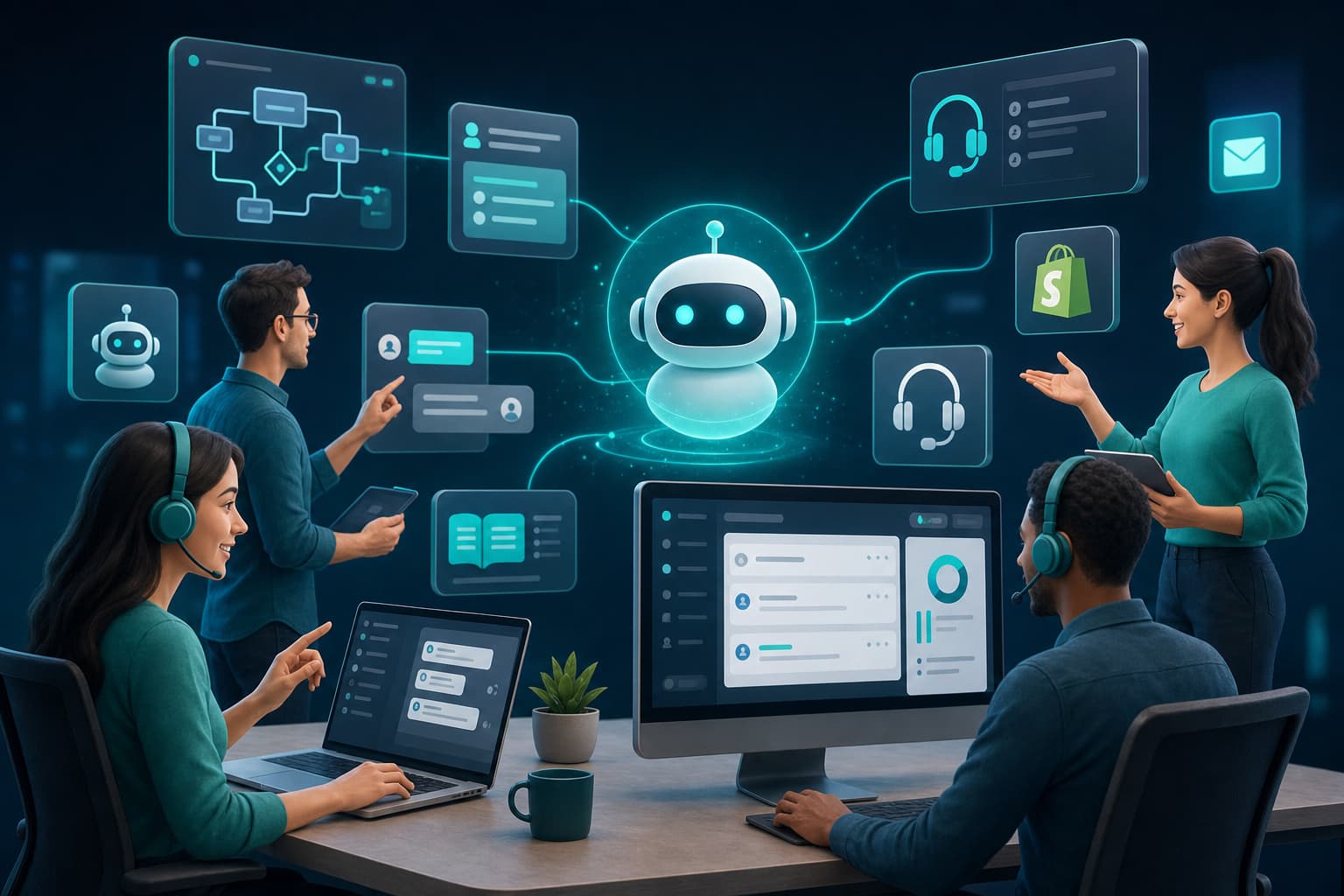
No-code chatbots are transforming customer support by eliminating technical barriers. Learn how to build, deploy, and optimize intelligent bots in minutes without coding.
On this page
- Why No-Code Chatbots Matter Now
- How No-Code Chatbots Work (And Why Implementation Speed Matters)
- Real-World Scenarios Where No-Code Chatbots Drive Immediate ROI
- No-Code vs. Custom-Built Chatbots: Where the Economics Align
- Features That Separate Leading No-Code Platforms
- Building and Deploying Your First No-Code Chatbot
- Why Setup Speed Isn't Just Convenience—It's Strategic
- The Critical Details: QA, Escalation, and Multi-Channel Support
- Measuring Success: Metrics That Actually Matter
- Getting Started: A No-Code Chatbot Doesn't Require IT
- Integrations That Matter: Shopify, Google Docs, Notion, Confluence, and Beyond
- The WISMO Problem: A Case Study in Specialized Chatbot Architecture
- Common Mistakes Teams Make When Deploying No-Code Chatbots
- Why Your Support Team Will Actually Adopt No-Code Chatbots
- Conclusion: The Competitive Advantage of Fast Deployment
A no-code chatbot is an AI-powered conversation tool you can build, deploy, and manage without writing a single line of code. It answers customer questions, gathers information, and routes complex issues to human agents—all configured through a visual interface or simple integrations with tools you already use like Google Docs, Notion, PDFs, or Confluence. No-code chatbots have become standard infrastructure for customer support teams in 2026 because they reduce implementation time from weeks to minutes while cutting support costs by 40–60%.
Why No-Code Chatbots Matter Now
The support landscape shifted in 2026. Companies can no longer afford to hire teams proportional to inquiry volume—the math doesn't work. A no-code chatbot handles the volume layer instantly, answering 85%+ of common questions without escalation.
What changed is speed. Five years ago, deploying a chatbot meant hiring developers, waiting for custom builds, and weeks of integration work. Today, the fastest no-code platforms deploy in under 2 minutes. You connect your knowledge sources, define what channels it appears on, and it's live. This matters because support leaders face constant pressure to reduce cost-per-ticket while maintaining quality. A no-code chatbot gives you both.
The second reason they matter: they handle repetitive questions at zero marginal cost. A human agent answering the 50th password-reset request that week is a waste of human cognition. A chatbot answers it identically, instantly, and never gets frustrated. Your team can focus on issues that actually need judgment—empathy, complex problem-solving, relationship management.
How No-Code Chatbots Work (And Why Implementation Speed Matters)
A no-code chatbot operates on three layers: knowledge source, AI intelligence, and deployment channel.
The knowledge source is where you store answers. This can be a Google Doc with your FAQs, a Notion workspace where your product docs live, PDFs of your policies, or a Confluence space your team maintains. The chatbot reads these sources, understands them, and grounds every answer in what you've written. This is critical—it prevents hallucination and keeps responses aligned with your actual policies.
The AI layer does the matching. When a customer asks "How do I reset my password?", the system finds the relevant section in your knowledge base and returns that answer. Better platforms use retrieval-augmented generation (RAG), which means the chatbot isn't just pattern-matching keywords—it understands semantic meaning. A question phrased five different ways returns the same correct answer.
The deployment layer is where the chat appears: your website, email, Shopify store, or messaging apps. A no-code platform lets you choose without touching infrastructure. You pick the channel, configure it (brand color, positioning, tone), and it deploys. Some platforms offer a white-label approach with a brand gate, meaning customers see your logo and your messaging, not the platform's branding.
Speed matters because execution risk kills most support initiatives. If it takes six weeks to deploy a chatbot, your team will experience change fatigue, stakeholders will lose patience, and budget cycles move on. A platform that deploys in under 2 minutes removes that friction entirely. You can test ideas, iterate, and improve without bureaucracy.
Real-World Scenarios Where No-Code Chatbots Drive Immediate ROI
Consider a mid-market SaaS company with 50,000 users. They receive 200 support tickets per day. Of those, 140 are variations of five questions: password reset, billing, feature availability, integration help, and account limits. A human agent takes 6 minutes to answer each (read ticket, find doc, compose response, send). That's 14 hours per day on routine work. At $25/hour fully loaded, that's $3,500 per week on questions that could be answered in 10 seconds by a chatbot.
Deploy a no-code chatbot with your knowledge base integrated. Configuration takes 45 minutes. It handles those 140 tickets automatically. The 60 remaining tickets—edge cases, bugs, angry customers, complex feature requests—go to your team with full context. Support quality actually improves because agents work on higher-value issues. And you just created $182,000 per year in capacity without hiring anyone.
Example two: an e-commerce brand running Shopify. Holiday season. Black Friday. You're getting 1,000 customer messages per hour. Your team of four can handle 80. You're drowning. A no-code chatbot deployed to your Shopify store answers shipping timelines, returns policy, product questions, and coupon inquiries through natural conversation. It's not perfect—some edge cases still need a human. But it handles 65% of incoming volume, meaning your team's 80-per-hour capacity now covers the complex 35% instead of getting buried in repeats.
Example three: a B2B company with a Confluence knowledge base. Your sales team spends 4 hours per week answering client questions that are already documented. Prospects ask the same questions. You deploy a no-code chatbot connected to Confluence. Clients and prospects get instant answers. Your sales team reclaims 200 hours per year. That's the time cost of one FTE, redirected to closing deals instead of answering how features work.
No-Code vs. Custom-Built Chatbots: Where the Economics Align
You might ask: why not just hire developers and build exactly what we need? The answer is timing and cost at scale.
A custom chatbot requires a development team (cost: $80k–150k per engineer per year), 8–12 weeks of initial build, ongoing maintenance, updates when your knowledge base changes, and testing cycles. If your policies shift—and they always do—you need developers to modify the system. A no-code chatbot costs a fraction of one engineer's salary and updates automatically when you edit your knowledge source. Your team can make changes directly.
This math works in favor of no-code for 95% of support teams. The 5% exception is companies with hyper-specific, mission-critical requirements that can't be met by template solutions. Most companies aren't in that category. They need a chatbot that works, deploys fast, and stays current with minimal overhead.
The other advantage: vendor independence. If you build on a no-code platform, you can usually export your knowledge base and model configurations. If you hire developers to build custom, you're locked in. You own the code, but you also own the ongoing maintenance cost forever.
| Approach | Setup Time | Initial Cost | Monthly Maintenance | Knowledge Updates |
|---|---|---|---|---|
| No-Code Platform (KnowDesk) | Under 2 minutes | $0 setup (usage-based pricing) | $200–1,000+ depending on volume | Automatic when source updates |
| Custom Development | 8–12 weeks | $40k–80k | $5k–15k (engineering time) | Requires developer tickets |
| Hybrid (API-connected chatbot) | 4–6 weeks | $15k–30k | $2k–8k | Requires API updates |
Features That Separate Leading No-Code Platforms
Not all no-code chatbot platforms are created equal. In 2026, the tier-one platforms share common capabilities but differentiate on speed, accuracy, and depth of integration.
Speed is non-negotiable. You want setup in minutes, not hours. A platform that requires complex configuration, API key hunting, or environment setup is no-code in name only.
Accuracy matters more than most teams realize. A chatbot that hallucinates answers or misunderstands questions damages trust faster than no chatbot at all. The best platforms use RAG and are transparent about when they can't answer. Some have a QA review layer, meaning your team can review chatbot answers before they go live, catching mistakes before customers see them.
Integration depth defines what's actually possible. A platform that only works with pre-approved knowledge sources limits you. You want support for Google Docs, Notion, PDFs, Confluence, and direct text input. You also want deployment flexibility: website widget, email, Shopify, Slack, Teams, and more. When a platform has deep native integrations, you don't need middleware or workarounds.
Brand control is underrated. If your customers see a generic "Powered by [Vendor]" footer, you're not really offering customer support—you're offering a vendor's product through your website. The best platforms include a brand gate: your logo, your colors, your tone, zero vendor branding visible to customers.
Live agent escalation is table stakes. Every chatbot hits edge cases. When it does, it should hand off to a human with full context—conversation history, customer data, what the chatbot tried and failed at. Some platforms call this a "live agent inbox." You need it. Without it, customers repeat themselves and agents waste time catching up.
Consider also language support. If you serve global customers, you need a platform that handles multiple languages natively, not just machine-translated. Some leading platforms support 30+ languages with cultural context built in.
Building and Deploying Your First No-Code Chatbot
The process is straightforward, but execution details matter.
Start by auditing your knowledge. What questions do customers actually ask? Pull your support tickets from the last three months and group them by theme. You'll likely find 20–40 core questions that represent 70–80% of inbound volume. These are your chatbot's foundation. Your chatbot will never be perfect, but it should answer the high-volume questions accurately.
Next, organize your knowledge source. If you're using Google Docs, create a single document with clear sections and headers. The platform will read this structure. If you're using Notion, build a database with one page per topic. For Confluence, organize pages hierarchically. PDFs work too, but structured sources (Docs, Notion, Confluence) allow better extraction. Messy knowledge sources produce messy chatbots.
Configure your chatbot's personality. This sounds cosmetic but affects user experience significantly. Write a system prompt—a few sentences describing how the chatbot should behave. Should it be formal or casual? Should it offer suggestions or stick to answering what was asked? Should it escalate proactively to a human if something seems complex, or handle everything it can? These choices shape every interaction.
Deploy to one channel first. Your website, for example. Run it for a week. Monitor conversations. What does the chatbot struggle with? Where are users falling off? Refine your knowledge base to address those gaps. Then expand to a second channel—email, Shopify, whatever makes sense for your business.
The key is iteration, not perfection. A chatbot deployed imperfectly and refined in production beats a chatbot that's never built because you're waiting for 100% accuracy.
Why Setup Speed Isn't Just Convenience—It's Strategic
A platform that deploys in under 2 minutes isn't faster just for speed's sake. Speed enables strategy.
First, it removes decision friction. When deployment takes 8 weeks, every stakeholder scrutinizes requirements, demands certainty, and wants guarantees. You can't move forward without consensus. When deployment takes 2 minutes, you can build, test, measure, and decide based on data instead of theory.
Second, it lets you start with your actual knowledge base, not a training dataset. Some platforms require you to pre-label training data or feed examples. With modern RAG-based platforms, you upload your real docs and it works immediately. This is why setup time correlates with implementation quality—slower platforms aren't better, they're often just more tedious.
Third, it enables rapid experimentation. Want to test how customers respond to a more casual tone? Change the system prompt, deploy, measure. Want to see if Notion docs or Confluence pages produce better answers? Set both up, compare. Want to A/B test escalation workflows? Deploy, iterate, pick the winner. Speed gives you this leverage. Slow platforms penalize you for experimenting.
KnowDesk deploys in under 2 minutes because the founding insight was this: customer support problems don't get easier by waiting. The faster you deploy, the faster you learn, and the faster you optimize. Your platform should reflect that priority.
The Critical Details: QA, Escalation, and Multi-Channel Support
Three features separate platforms that solve problems from platforms that create new ones.
QA reviews let your team validate chatbot answers before they go to customers. Set up a queue where a human reviews outputs. Right answer? It goes live. Wrong answer? Fix the knowledge base or add a clarification. This prevents your chatbot from confidently stating false information. Without QA, a chatbot can damage your reputation faster than no chatbot at all. KnowDesk includes QA reviews in its workflow, meaning mistakes get caught at the source.
Escalation to a live agent inbox is where customer satisfaction is actually won or lost. A chatbot that can't hand off to a human with context is a frustration machine. The best platforms maintain full conversation history, extract key information (customer name, account ID, order number), and pass it all to your team. An agent receiving an escalation should have everything they need. No repetition. No "let me look up your account" delays. This is called a live agent inbox—a dedicated space where escalations arrive with full context. The agent takes over the conversation while the customer is still waiting.
Multi-channel support means your chatbot appears where customers already are. A platform that only works on your website is limiting. You need support for email (incoming customer emails get routed to your chatbot, which answers directly or escalates), Shopify (if you're e-commerce), Slack or Teams (if you want internal support), and your branded website widget. Each channel should share the same knowledge base and conversation history, so a customer can start on your website and continue via email without repeating their question.
These three features—QA reviews, live agent inbox, and multi-channel deployment—are where most chatbot projects actually succeed or fail. A platform without all three is incomplete.
Measuring Success: Metrics That Actually Matter
How do you know if your no-code chatbot is working? Not all metrics are equal.
Response deflection rate is the primary metric. This is the percentage of inbound requests the chatbot handles without human escalation. Aim for 60–85% depending on your domain complexity. A SaaS product FAQ might hit 85%. A complex financial service might cap out at 60%. Deflection rate tells you how much human capacity you've freed up.
Customer satisfaction on chatbot interactions is secondary. Run a simple survey after each conversation: "Did this answer your question?" This catches problems early. A 75%+ satisfaction rate is acceptable for routine chatbot interactions. Anything lower suggests knowledge base gaps or misunderstanding issues.
Escalation reason tracking reveals patterns. When customers escalate, why? Common reasons: chatbot couldn't answer (knowledge gap), customer wants to speak to a human anyway (acceptable), or the chatbot gave wrong information (needs fixing). Track these categories. They guide your refinement.
Cost per interaction is the ROI calculation. Take your total support costs (salaries, tools, infrastructure) divided by total interactions (chatbot + human). Now measure just the human interactions. If humans handle 100 interactions at $8 per interaction and your chatbot handles 400 interactions at $0.04 per interaction, your blended cost per interaction drops dramatically. This is where the financial case becomes obvious.
Time-to-resolution for human agents often improves, not worsens. Counterintuitively, human agents spend less time resolving issues when a chatbot pre-handles the easy ones. They only work on complex cases where their time is worth more. Average resolution time might actually drop.
Getting Started: A No-Code Chatbot Doesn't Require IT
Here's what most teams misunderstand: deploying a no-code chatbot doesn't require IT approval, developer time, or infrastructure planning. Your support manager can own this independently.
You need: your knowledge base (docs, PDFs, whatever form they're in), a few minutes to configure the chatbot (tone, escalation rules, channels), and the ability to embed a code snippet on your website (one line, copy-paste, takes 30 seconds). That's it. No databases. No servers. No deployment pipelines.
If you're using Google Docs, simply link the document. The platform reads it. If you're using Notion, connect your workspace. Confluence? Same thing. PDFs? Upload them. The platform handles the rest. Your team can make updates to your knowledge base anytime. The chatbot reflects changes automatically.
This is why no-code chatbots have become standard in support organizations. They're not easier than hiring a developer—they're possible without hiring a developer at all. Your support team can drive this independently.
When you start a free trial with KnowDesk, you're testing this theory immediately. Connect a knowledge source, set up your chatbot personality, choose a deployment channel, and you're live in under 2 minutes. No wait. No approvals. No infrastructure overhead. Just deployed customer support.
Integrations That Matter: Shopify, Google Docs, Notion, Confluence, and Beyond
The platforms you already use should plug directly into your chatbot without middleware.
If you're on Shopify, the chatbot should connect natively, appearing in your store and handling product questions, shipping inquiries, and returns without you lifting a finger. A tight Shopify integration means the chatbot understands your product catalog, knows your return policy, and can look up customer order history. When you use the Shopify app version of KnowDesk, all of this works out of the box.
If your knowledge lives in Google Docs—and for many teams, it does—connecting should be one click. No export. No reformat. No copying text manually. Link the doc. The platform reads it, understands its structure, and builds a chatbot on top of it. When you update the doc, the chatbot updates automatically.
Notion is increasingly popular for internal knowledge management. A native Notion integration means your team can maintain your knowledge base in Notion (where you already work) and your chatbot stays synchronized. Same with Confluence for enterprises.
Email integration matters more than most teams initially think. A customer sends you an email with a question. Instead of your support team reading it and composing a response, the chatbot handles it. Simple questions get answered in seconds. Complex questions escalate to your live agent inbox with the email content preserved. This is called an email retention agent. It reduces response time and offloads routine handling entirely.
The platforms with the deepest integrations win because they eliminate busywork. You don't want to maintain your knowledge in two places or re-enter information across systems. Native integrations let you use your existing tools and have your chatbot follow you into them.
The WISMO Problem: A Case Study in Specialized Chatbot Architecture
Most support questions fall into one category: "Where Is My Stuff?" (WISMO). Customer buys something. Customer wonders when it arrives. Customer emails asking for tracking. Your support team looks up the order, finds the tracking number, sends it back. This cycle repeats hundreds of times per day in e-commerce and SaaS.
A standard chatbot can handle this, but poorly. You'd need to manually copy every customer's order into your knowledge base, which is impossible. The best no-code platforms include specialized agents for WISMO—a WISMO agent that connects to your order database, looks up customer details securely, and retrieves tracking information in real-time. No manual input. No privacy risks. The chatbot says "Let me look that up for you" and returns the actual tracking number.
This is why integration depth matters. A platform that only handles static Q&A is solving 60% of your problem. A platform with a WISMO agent that connects to your real systems solves 90%.
Common Mistakes Teams Make When Deploying No-Code Chatbots
Learning from others' errors saves months of frustration.
Mistake one: deploying a chatbot with outdated or incomplete knowledge. If your knowledge base is stale, your chatbot is stale. Spend a week cleaning up your documentation before you deploy. Fix inconsistencies. Fill gaps. Only then connect it. A chatbot built on good knowledge is helpful. A chatbot built on bad knowledge is worse than nothing.
Mistake two: expecting perfection immediately. No chatbot is perfect on day one. Deploy at 70% confidence. Measure what breaks. Fix it. Iterate. The teams that get best results treat chatbot deployment as an ongoing process, not a launch event.
Mistake three: not configuring escalation properly. Make sure your escalation rules are clear. When should the chatbot hand off to a human? If you don't define this, customers escalate for no reason and you waste human time. Common rule: if the chatbot's confidence is below 70%, escalate. If the customer explicitly asks for a human, escalate immediately. Tune this over time.
Mistake four: ignoring the user experience of escalation. When a customer escalates, they should feel handed off to a human smoothly, not dropped into a void. Their conversation history should be visible. Your agent should acknowledge what the chatbot tried. This is where a live agent inbox makes or breaks customer satisfaction.
Mistake five: not measuring properly. Pick a metric (deflection rate is easiest to start) and track it weekly. If it's dropping, something changed. If it's plateauing, you've hit a knowledge base limit or accuracy ceiling. Without measurement, you're flying blind.
Why Your Support Team Will Actually Adopt No-Code Chatbots
Technology adoption fails when the tool makes people's jobs worse. No-code chatbots are different. They make support jobs better in concrete ways.
When a chatbot handles routine questions, your team spends more time on interesting problems. Debugging a customer's complex workflow is more engaging than answering "how do I reset my password?" for the hundredth time. People prefer meaningful work.
Chatbots also reduce suffering. A customer waiting 12 hours for a response to a simple question is a negative experience. That same customer getting an instant answer via chatbot is a positive experience. Your team doesn't have to choose between speed and sanity anymore.
The live agent inbox aspect matters too. When escalations arrive with context, your team is empowered, not frustrated. They can solve problems faster. They look good to customers. They win the interaction instead of starting from behind.
This is why adoption rates are high with good platforms. The technology actually improves the work experience for humans. It's not replacing people—it's eliminating tedium so people can do the job they actually want to do.
Conclusion: The Competitive Advantage of Fast Deployment
In 2026, the competitive advantage in customer support isn't having a chatbot. It's deploying one faster than your competitors while maintaining quality.
Teams that wait for perfection get outpaced by teams that deploy, measure, and iterate. The platform you choose should reflect this reality. A no-code platform that deploys in under 2 minutes with native integrations for Google Docs, Notion, Confluence, and PDFs lets you start this week, not next quarter.
The stack matters: QA reviews catch mistakes before customers see them. A live agent inbox ensures escalations stay smooth. A brand gate keeps your branding front-and-center. A WISMO agent handles order tracking without manual work. Multi-language support reaches global customers without translation delays. Each of these features represents real ROI—either in time saved, customer satisfaction improved, or cost reduced.
KnowDesk is purpose-built around these requirements. Sub-2-minute deployment. Native integrations across Google Docs, Notion, Confluence, and PDFs. QA reviews built in. Live agent inbox for escalations. Brand control without vendor branding. Multi-language support. WISMO agent for order lookups. Email retention agent for incoming mail. The platform doesn't make you wait and doesn't make you compromise.
Start a free trial today. No credit card required. Connect your knowledge base—Google Docs, Notion, PDF, whatever you use. Deploy your chatbot. Watch it handle your high-volume questions in real-time. Measure the impact in days, not weeks. Then decide if you want to scale it. Most teams do. Because once you see the deflection rate, the cost savings, and the customer satisfaction improvement, the question isn't whether no-code chatbots work. It's why you didn't deploy one sooner.