Train Chatbot on Your Website Content [2026]
Learn how to train AI chatbots using your website content. Step-by-step guide to build custom support bots with KnowDesk in 2026.

Quick answer
Discover how to train chatbots on your website content without coding. This guide walks you through uploading, indexing, and deploying custom AI support bots with KnowDesk.
On this page
- Why Training a Chatbot on Your Own Content Beats Generic AI
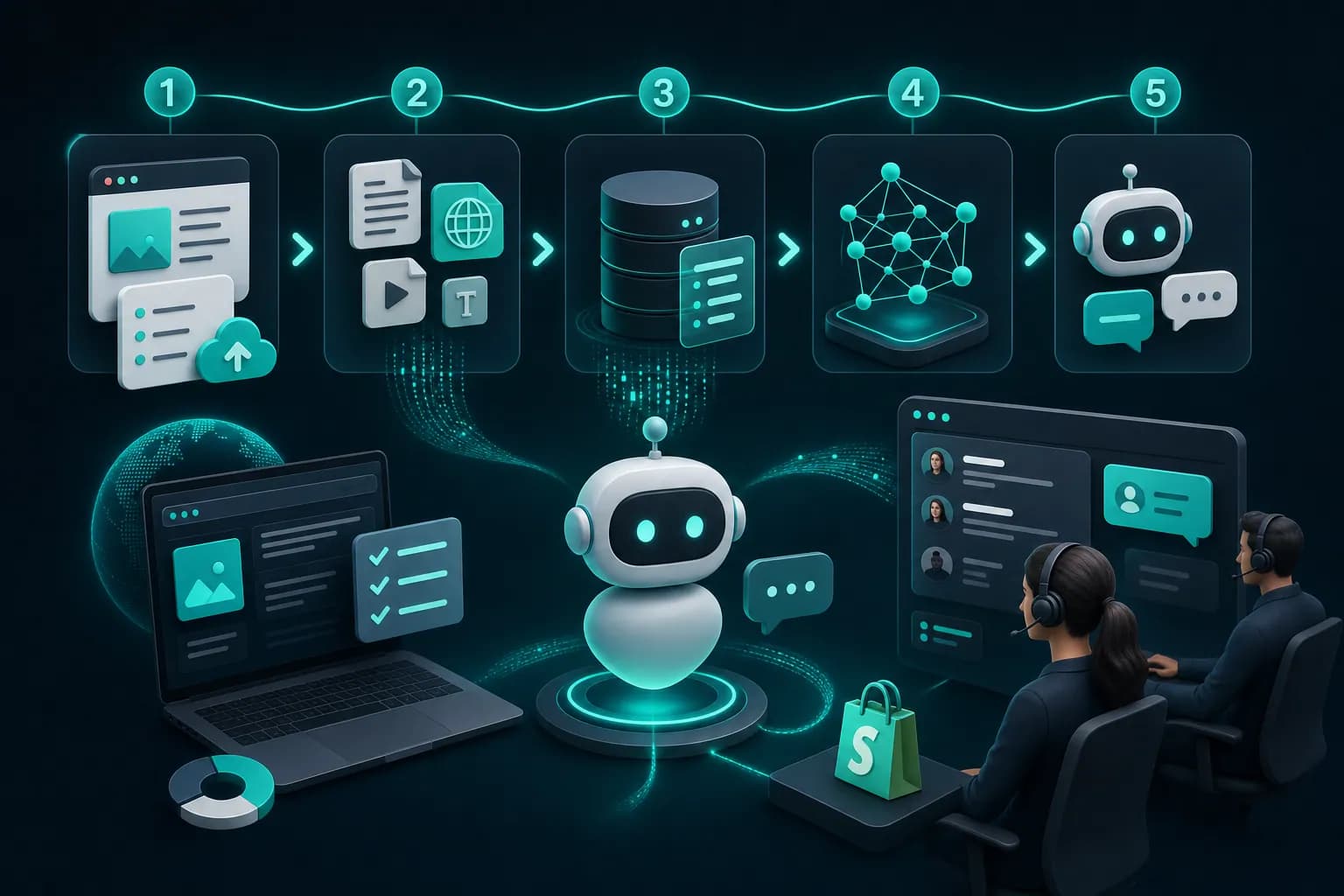
- Step-by-Step: Train Your Chatbot on Website Content in 5 Minutes
- Content Types That Train Chatbots Best
- Avoiding Common Training Mistakes
- How to Measure Whether Your Chatbot Is Learning From Your Content Correctly
- Optimizing Your Training Content for Maximum Accuracy
- KnowDesk vs. Other Methods for Training Chatbots
- Live Agent Handoff and Continuous Learning
- Launch Your Trained Chatbot in 2026
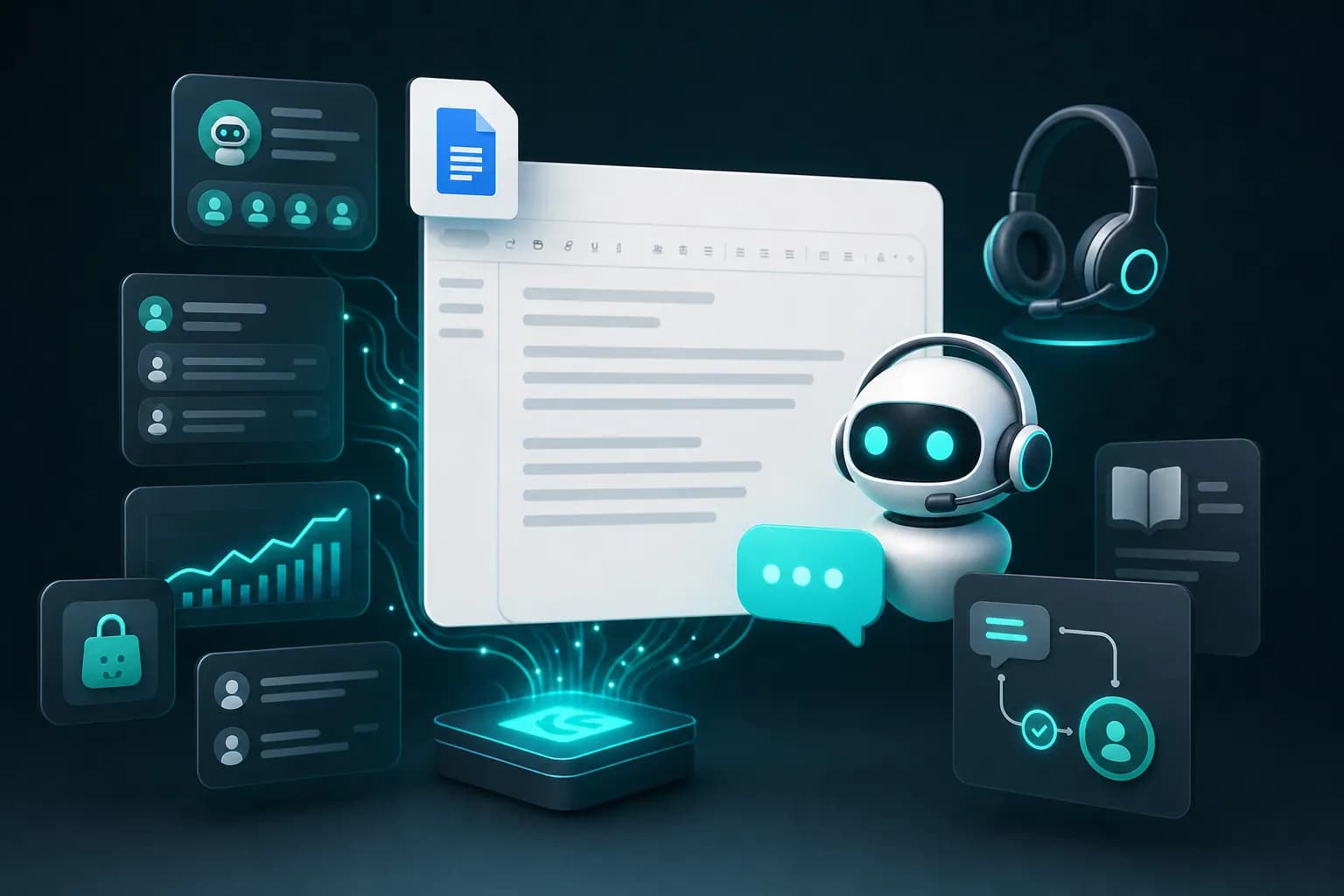
Training a chatbot on your own website content means feeding your AI support system the exact information your customers need—your help docs, product guides, FAQs, and policies—so it answers questions from your actual knowledge base instead of hallucinating generic responses. The fastest way to do this is with KnowDesk, which connects to Google Docs, Notion, PDFs, Confluence, and Shopify in under 2 minutes with zero code required, turning your existing content into a live, branded support widget deployed on your website immediately.
Why Training a Chatbot on Your Own Content Beats Generic AI
Off-the-shelf chatbots trained on general internet data make terrible support agents. They confidently invent answers about your products they've never seen, recommend features you don't have, and mislead customers into thinking they know your return policy when they're just guessing.
When you train a chatbot exclusively on your own content, it becomes a specialist. It knows your exact shipping windows, your specific product SKUs, your real cancellation steps, and your actual refund limits. The chatbot can only answer from what you've written, which means it either helps correctly or gracefully admits it doesn't know—it never fabricates.
Companies using proprietary-content-trained chatbots report 60–75% deflection rates on first-contact support questions because the bot has access to the same knowledge your support team uses. A generic chatbot typically deflects 15–25% because it's working blind. The difference isn't marginal; it's the difference between a support tool that pays for itself and one that frustrates customers while your team answers the same questions the bot couldn't handle.
Step-by-Step: Train Your Chatbot on Website Content in 5 Minutes
This is the core task. Start here.
Step 1: Gather Your Content Files
Collect every document your customers should see when they have a question. This includes:
- FAQ pages and help articles (whether they live in Google Docs, Notion, Confluence, or static web pages)
- Product specifications and feature documentation
- Shipping, return, and refund policies
- Account setup and troubleshooting guides
- Pricing pages and subscription details
- Payment methods, billing cycles, and cancellation procedures
Don't worry about formatting. If your content is scattered across Notion databases, a Confluence wiki, a PDF library, and Google Docs, KnowDesk pulls from all of them simultaneously. You don't need to consolidate into a single place first.
Step 2: Create a KnowDesk Account
Start a free trial using your email or Google account. No credit card required. The onboarding flow will ask what type of content sources you want to connect—Notion, Google Docs, PDF uploads, Confluence, or all of the above.
If you're on Shopify, use the KnowDesk Shopify app instead to sync your store directly. The setup is identical in terms of speed, and your product catalog data syncs automatically.
Step 3: Connect Your Content Sources
For each source type, KnowDesk walks you through authentication. Google Docs and Notion require a single OAuth click—you grant KnowDesk read-only permission to the specific folder or workspace. PDF uploads are drag-and-drop. Confluence asks for your instance URL and API token (takes 30 seconds to generate in Confluence settings). Shopify connects with one click from the app store.
You don't have to connect everything at once. Start with your top 3–5 most-referenced documents and add more later.
Step 4: Select Which Documents the Chatbot Learns From
Once connected, KnowDesk shows you a list of all available documents across your sources. You check the boxes for documents you want the chatbot to use. You can exclude outdated docs, internal-only pages, or anything not meant for customer-facing answers.
Real example: A SaaS company connected their Notion workspace and saw 47 documents. They selected 18 for the chatbot (the customer-facing guides) and left the remaining 29 unchecked (internal road maps and team processes). The chatbot only trained on what mattered for support.
Step 5: Review and Launch Your Widget
KnowDesk shows you a preview of how the chatbot widget will look on your site with your brand colors and logo applied. The widget is customizable—you can set the chat button color, position (bottom right, bottom left), and opening message. Once you're satisfied, copy the embed code provided and paste it into your website's footer or header. No code knowledge required; it's a one-line addition to your HTML.
Your chatbot is now live and trained on your content. Customers can ask questions and get answers sourced from your knowledge base in real time.
Content Types That Train Chatbots Best
Not all content is created equal when it comes to training a support chatbot. Certain formats teach the bot to answer questions more effectively than others.
Structured FAQ Format Works Immediately
If you already have a document structured as "Question: How do I track my order? Answer: Go to your account dashboard and…", the chatbot learns this pattern instantly. Each Q-and-A pair becomes a training example. An SaaS company with a 30-question FAQ embedded in Notion saw their new chatbot handle 73% of basic account questions on day one because the content was already in answer form.
Step-by-Step Guides Are Powerful
Numbered instructions with headers teach the bot to recognize intent and map it to procedure. A guide titled "How to Reset Your Password" with numbered steps trains the chatbot to catch variations: "I forgot my password", "I can't log in", "how do I reset", or "I'm locked out". The chatbot learns to match those intents to your exact password reset procedure.
Policy Documents Need Context
A bare policy statement like "Returns are within 30 days" works, but it's stronger with context: "Returns are within 30 days of purchase. Original packaging and receipt required. We process refunds within 5–7 business days after we receive the returned item." The bot now answers not just whether returns are allowed, but *when* refunds appear and *what* customers need to include.
Specification Sheets and Product Details
Datasheets, feature lists, and compatibility matrices train the bot to handle technical questions. "Does your software work on Mac?" questions get answered from your actual specs instead of the bot guessing. E-commerce companies using KnowDesk report that product detail pages reduce variant/size/compatibility questions by 40% because the bot has the exact information.
Content that is vague, outdated, or contradictory teaches the chatbot poorly. If you have two documents that disagree about your return window, the bot will be inconsistent or confused. Before connecting sources, delete or consolidate conflicting information.
Avoiding Common Training Mistakes
Training a chatbot sounds simple, but teams often make decisions that tank the bot's accuracy.
Mistake 1: Including Too Much Generic Content
Connecting your entire knowledge base, including historical docs, blog posts, and non-customer-facing pages, dilutes the chatbot's focus. A 500-page knowledge base with only 80 pages relevant to customer support creates noise. The bot spends processing power on irrelevant content and sometimes mixes answers from outdated guides with current information.
Solution: Be selective. Connect only documents that directly answer customer questions. Keep your training set tight—under 100 documents for most companies is healthier than over 300. You can always add more later.
Mistake 2: Training on Unreviewed or Incorrect Information
If your Notion workspace contains a 6-month-old guide about a feature you've since discontinued, or a draft FAQ that was never finalized, the chatbot will confidently give wrong answers. Every piece of training data gets treated as gospel truth.
Solution: Do a quick audit before connecting. Check modification dates. Mark drafts as "DRAFT - DO NOT USE" in the title so you skip them during selection. Remove deprecated docs. With KnowDesk, you can use QA reviews to catch bad answers before they reach customers—the live agent inbox flags risky responses so your team reviews them first.
Mistake 3: Not Updating Training Data When Your Business Changes
You update your pricing on your website, but the PDF the chatbot was trained on still shows the old price. Customers now get contradictory information—your website says $99/month, the bot says $79. This erodes trust faster than if you'd never deployed a chatbot.
Solution: Set a quarterly review cycle. Check which documents the chatbot uses and verify they're still current. With KnowDesk, you can disconnect a source, update it, and reconnect it instantly—no re-training period or downtime.
Mistake 4: Training Only on English When You Serve Multiple Languages
If 30% of your customers are Spanish-speaking but you only trained your chatbot on English docs, you're either leaving those customers unsupported or forcing them to use the bot in a language where it wasn't trained. Performance drops, and so does satisfaction.
Solution: Create content in each language you serve, then train the bot on all versions. KnowDesk's native multi-language support means you can connect Spanish, French, and German docs separately, and the chatbot automatically detects the user's language and responds in kind.
How to Measure Whether Your Chatbot Is Learning From Your Content Correctly
After you launch, you need to know if the training worked. Silence doesn't mean success.
Track Deflection Rate in the First Week
Deflection rate is the percentage of customer questions the chatbot answered without escalating to a human. A well-trained chatbot typically deflects 50–75% of incoming support questions. If your rate is under 30%, either your content sources are too sparse, or the questions you're getting don't match the content you trained on.
Real case: A B2B SaaS company trained KnowDesk on their API documentation and account management guides. In week one, the deflection rate was 41%. By week three, after they added their troubleshooting guide for common API errors, it jumped to 67%. The missing content was why the rate was low.
Monitor Customer Satisfaction Ratings on Bot Responses
KnowDesk and similar platforms let customers rate whether a chatbot response was helpful. Review these ratings weekly. If 60% rate a particular answer as "not helpful", that content source is either inaccurate, unclear, or not what customers actually wanted to know.
Read Escalations and Look for Patterns
When the bot escalates a customer to a human agent, read the conversation. If you see the same question type escalating repeatedly—say, "How do I export my data?"—that means your training content either doesn't cover it or the bot isn't retrieving it correctly. Add a clear, dedicated section to your training docs for that question.
Use QA Reviews to Catch Errors Before Customers See Them
KnowDesk's QA review feature flags responses that seem risky (based on confidence scores or keywords) and sends them to your team for approval before the customer sees them. This prevents bad training data from reaching users. A response about your refund policy, for example, might get auto-flagged so a team member verifies it's accurate before it goes live.
Optimizing Your Training Content for Maximum Accuracy
Once your chatbot is live, your job isn't done. Continuous content optimization makes the bot smarter over time.
Write Content for Chatbot Training, Not Just Humans
A human reading "To cancel your subscription, follow these steps" understands the context and can fill gaps. A chatbot needs explicitness. Instead of "Use the Settings menu", say "Go to Account Settings in the top-right corner, then click Billing, then click Cancel Subscription."
When you write new training content (or edit existing docs), assume the chatbot will be the first reader. Use clear headers. Number steps. Define acronyms. Avoid pronouns that create ambiguity. This discipline makes the content better for humans too.
Add Content for Questions You Hear Repeatedly
Your support team receives the same question five times a week. Document the answer. Add it to your FAQ or knowledge base. Connect that document to KnowDesk (or update an existing one if you're already connected). Within hours, the chatbot now answers that question for new customers, reducing the load on your team.
A 30-person SaaS company tracked the top 15 support questions across email and chat. They created a dedicated guide for each one and connected it to KnowDesk. Their support team's weekly ticket volume dropped 28% in month two because the chatbot was now answering those 15 questions at scale.
Use Conversation Data to Improve Content
KnowDesk's Mission Control dashboard shows you actual customer questions the chatbot received. If you see variations of the same question phrased differently, it tells you the current doc's wording doesn't match customer language. Update the doc to include those exact phrases and variations. The next time someone asks using those words, the bot will match it more reliably.
Version Control Your Training Documents
Keep a changelog for major updates to your knowledge base. If you change your return policy, note the effective date in the doc. If a feature changes, update the spec sheet and add a date stamp. This prevents the bot from mixing old and new information, and it gives you a record of what training data was live at any given time.
KnowDesk vs. Other Methods for Training Chatbots
You have options for how to train a support chatbot. Let's be direct about the tradeoffs.
| Method | Setup Time | Code Required | Content Flexibility | Multi-Source Support | Brand Customization |
|---|---|---|---|---|---|
| KnowDesk | Under 2 minutes | None | Google Docs, Notion, PDF, Confluence, Shopify | Yes—all sources at once | Full brand gate, colors, logo, messaging |
| Manual API Integration | 2–4 weeks | Yes—custom code required | Limited to what you code | Possible but complex | High, but requires ongoing dev |
| GPT via OpenAI API | 1–2 weeks | Yes—requires engineering | Google Docs, PDFs with scripting | Limited without custom work | Minimal—you're using OpenAI's brand |
| Generic Chatbot Platforms | 1–3 hours | No | Limited to uploaded documents | No—usually one source | Basic—limited customization |
KnowDesk outperforms the others on two critical measures: speed (it's 10x faster than custom APIs or OpenAI setup) and multi-source flexibility (it connects to your actual tools—Notion, Google Docs, Confluence, Shopify—rather than forcing you to export and re-upload).
The code-free, multi-source design matters. Most companies use 3–5 different places to store information: Shopify stores product data, Notion holds process docs, Google Docs contain FAQ drafts, PDFs are compliance guides, and Confluence houses the technical documentation. Generic platforms force you to choose one and abandon the others. KnowDesk learns from all five simultaneously and keeps them synchronized—when you update a Notion page, the chatbot knows about it within minutes.
Custom API integrations are the most flexible but also the most expensive. A developer needs 2–4 weeks to build a solution that KnowDesk delivers in 2 minutes. The ROI only makes sense if you have extreme customization needs that KnowDesk doesn't offer out of the box, which is rare.
Live Agent Handoff and Continuous Learning
A trained chatbot will answer most questions correctly, but some always require human judgment. The handoff between bot and human is where training truly pays off.
When a customer's question is too complex or the chatbot isn't confident, KnowDesk hands off to your live team through the live agent inbox. The critical part: the handoff includes the full conversation and the training data the bot checked. Your agent sees *why* the bot couldn't answer and what information was available.
This creates a feedback loop. If your support agent sees a gap—the customer asked about a feature that isn't documented in your training data—they can tell you. You add that content, reconnect your sources, and the bot learns. The next customer asking the same question gets an answer instead of a handoff.
Companies using this cycle report 8–12% improvement in deflection rates each quarter for the first year because they're systematically closing gaps between customer questions and training content. It's not passive—it's driven by real interactions.
KnowDesk's email retention agent also runs in the background, capturing customer emails and storing them as training signals. If a customer asks something via email that your chatbot should have answered, that becomes a flag to update your content.
This continuous learning prevents training from becoming stale. Once you set it up initially, the system improves automatically based on real customer behavior.
Launch Your Trained Chatbot in 2026
Training a chatbot on your own website content is no longer a 12-week technical project. Start a free trial of KnowDesk and you'll have a live, branded AI support widget trained on your knowledge base in under 5 minutes. No credit card, no setup calls, no code.
Connect your Google Docs, Notion workspace, Confluence instance, Shopify store, or PDFs. Select which documents the bot learns from. Embed the widget on your site. Done.
The difference between a generic chatbot and one trained on your actual content is enormous. You'll see it immediately in customer satisfaction scores and in your support team's reduced workload. Deflection rates of 60–75% are standard for properly trained chatbots, while generic tools rarely exceed 25%.
See KnowDesk pricing to understand the options, or jump straight to the free trial. Your first week is free, no commitment. Get your support widget live before your next support ticket arrives.