Unified Inbox for Outlook: 2026 Guide
Consolidate Outlook emails into a unified inbox with KnowDesk. Manage customer support tickets, collaboration messages, and inquiries from one dashboard.

Quick answer
Streamline your team's email management by integrating Outlook with a unified inbox. Handle support requests, internal messages, and customer conversations from a single,
On this page
- Why Support Teams Struggle With Scattered Inboxes
- What a Unified Inbox Actually Does (And Doesn't)
- A Real Scenario: How One Retailer Fixed Their Inbox Chaos
- Building a Unified Inbox: What You Actually Need
- KnowDesk vs. Legacy Helpdesk Systems: Why Integration Matters
- How the WISMO Agent Cuts Support Volume by 30–50%
- Getting Multi-Language Support Right Without Hiring New Staff
- Deploying a Branded Support Experience in Minutes
- Measuring Success: What Unified Inbox KPIs Actually Look Like
- Making the Switch Without Chaos
- Why Email Remains the Best Support Interface
- Start Your Unified Inbox Today
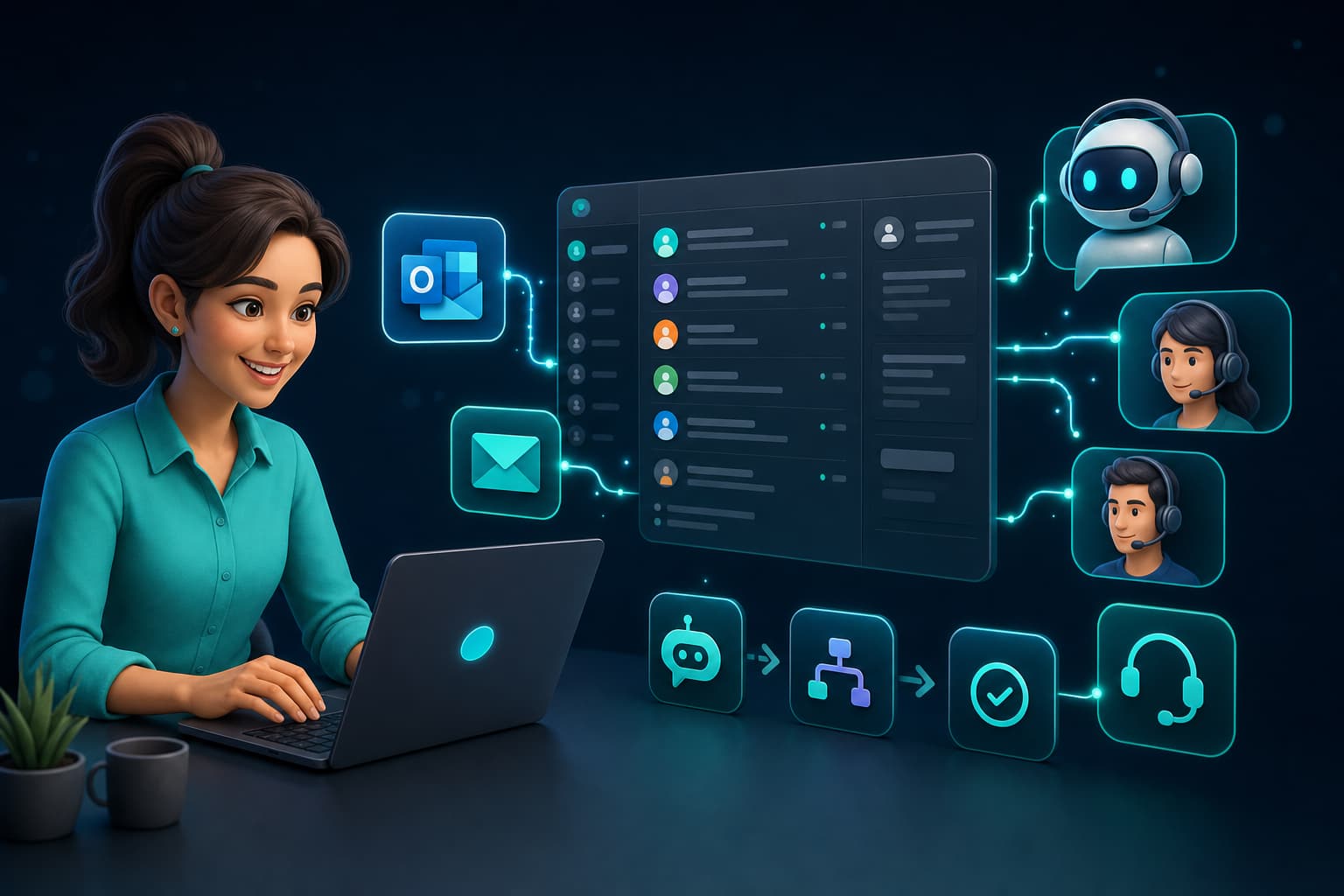
A unified inbox in Outlook consolidates support tickets, customer emails, and internal messages into one searchable view instead of jumping between multiple systems. This matters because support teams lose 12–18 minutes per shift switching between platforms—time that could close tickets or handle new requests. KnowDesk's live agent inbox integrates directly with your existing email workflow, letting agents respond to customers from one central panel without leaving Outlook.
Why Support Teams Struggle With Scattered Inboxes
Most businesses use separate tools for different communication channels. Your helpdesk sits in one system. Customer emails land in Gmail or Outlook. Internal handoffs happen in Slack. Agents spend their day context-switching—finding a ticket number, opening the helpdesk, copying details, switching back to email, hunting for the original message thread, then hunting for the customer record.
The friction adds up. A team of 8 agents loses roughly 3.5 hours daily to navigation overhead. That's not burnout from hard work; it's burnout from broken workflows. More important, customers notice. A response that takes 15 minutes to compose because the agent had to hunt through three systems feels slower to the customer than one that takes 8 minutes because everything was already visible.
Unified inboxes exist to fix this, but most solutions require either expensive ERP implementations or force your team away from email into a browser-based interface they'll hate. The ideal solution doesn't replace Outlook—it enhances it. It keeps agents in the email client they already know and use eight hours a day.
What a Unified Inbox Actually Does (And Doesn't)
A true unified inbox collects incoming customer messages from multiple channels and displays them in chronological order with full context. You see not just the email, but the customer's history, previous tickets, and any internal notes from teammates who handled them before.
KnowDesk's live agent inbox shows customers' complete context within your email client. If a customer emails asking about a refund they requested three months ago, the agent doesn't search your CRM—the ticket and full history appear right there. Response time drops. Error rate drops. The agent knows exactly what happened last time this customer contacted you.
What it doesn't do—and this matters—is force a new interface. No extra tab to bookmark. No new login credentials. No training users on yet another UI. The inbox works where agents already work.
The Three Layers of a Working Unified Inbox
The first layer is message aggregation. Emails from your contact form, customer support address, and individual agents all flow to one view sorted by most recent. A customer support team at an ecommerce company handles inquiries across email, SMS, and their website contact form—but only if those channels actually connect to the same inbox. Without this, you're still scanning five different places.
The second layer is customer context. Every message shows the person behind it, not just their email address. Order history. Previous tickets. Preferences. Billing status. A customer who emails "Why hasn't my package arrived?" shows up with the tracking number, shipment date, and last agent note already visible. The agent answers in 90 seconds instead of 5 minutes spent digging.
The third layer is team coordination. Internal notes, assignment tags, and priority flags live right in the same view. One agent can flag a ticket as "awaiting payment," and the next agent who picks it up sees exactly where the conversation stalled—no Slack threads to search, no separate ticket system to check.
A Real Scenario: How One Retailer Fixed Their Inbox Chaos
An online furniture company with 12 customer support agents was managing roughly 240 inbound messages per day across email, chat, and their Shopify store. Each agent logged into four different systems during their shift: Shopify admin, Zendesk, Gmail, and Slack. Messages bounced between these tools constantly. A customer would email, the team would miss it because the alert went to Zendesk, but the agent checked email first. Another agent would answer the same customer inquiry via Shopify chat without seeing that someone had already replied by email.
The company paid for a consultant to audit their process. The finding was stark: 34% of customer emails were duplicated responses because no agent could see the full conversation history across channels. Average first response time was 2 hours 14 minutes. Peak volume arrived between 10 a.m. and 2 p.m., and during that window, agents were so busy context-switching that three out of four were still working on emails at 5:30 p.m.—off the clock.
They implemented KnowDesk integrated with their Outlook email and Shopify store. All incoming customer messages flowed to one live agent inbox. Customer context pulled directly from Shopify (order status, purchase history, product reviews). Agents could see pending tasks, open tickets, and chat histories all from Outlook without leaving the email client.
The results after six weeks: first response time dropped to 38 minutes. Duplicate responses fell to 2%. Average handle time per ticket decreased from 7.2 minutes to 4.8 minutes. No longer were agents working overtime; all shifts finished on time. The team handled 12% more messages with the same headcount because they weren't losing time to tool-switching.
Building a Unified Inbox: What You Actually Need
The core requirements are simple but often overlooked. First, your inbox solution must connect to your email system—not replace it. Asking support agents to leave Outlook for a new interface is a losing bet. Second, it needs to pull customer context automatically from wherever you store it: your ecommerce platform, CRM, or help desk. Third, it must sync across channels so a message answered in one place is marked as handled everywhere.
Beyond the basics, look for tools that provide WISMO responses (What Is My Status Order?). These are pre-built, AI-driven answers that resolve common questions without human touch. A customer asks "Where's my order?" and the WISMO agent pulls tracking data from Shopify in seconds, delivering a complete answer automatically. This deflects 30–50% of repetitive inquiries, freeing your team for complex issues.
QA reviews matter too. After an agent responds to a customer, managers should be able to flag responses for quality, tone, and accuracy. This doesn't mean micromanaging; it means catching problems before customers see them. A response that's technically correct but sounds rude can be revised before sending.
- Native integration with your email system (Outlook, Gmail) — not a separate inbox that duplicates work
- Automatic customer context pulled from Shopify, Notion, Confluence, Google Docs, or PDFs
- Multi-channel routing so SMS, email, chat, and contact form submissions all appear in one chronological view
- WISMO agent that answers common questions automatically (order status, shipping, returns, billing)
- Brand gate to ensure AI responses match your tone and company voice
- Live handoff to human agents when escalation is needed
- QA reviews for quality control before responses reach customers
KnowDesk vs. Legacy Helpdesk Systems: Why Integration Matters
Traditional helpdesks (Zendesk, Freshdesk, HubSpot Service Hub) centralize ticket management but force a choice: use the helpdesk interface or lose visibility into what's happening. Agents who prefer email end up ignoring the helpdesk. Agents who switch to the helpdesk UI lose the email context they need.
KnowDesk inverts this problem. The live agent inbox lives inside Outlook. There's no extra system to log into. No tabs to manage. The agent sees the customer email, the full history, and can respond directly. Behind the scenes, KnowDesk handles routing, WISMO deflection, QA review, and multi-language support. The agent never needs to think about the automation—they just respond naturally.
Setup takes under 2 minutes. No code, no IT involvement. You connect your email, your Shopify account or knowledge base (Notion, Google Docs, Confluence, PDF), and the system is live. A competitor's helpdesk setup typically requires 2–4 weeks of configuration, data migration, and staff training. That's not a feature difference; it's a structural difference in how the product is built.
| Feature | KnowDesk | Zendesk | Freshdesk | HubSpot Service Hub |
|---|---|---|---|---|
| Email inbox integration (no separate interface) | Yes | No | No | No |
| Setup time | Under 2 minutes | 2–4 weeks | 1–2 weeks | 2–3 weeks |
| Native Shopify integration | Yes | Requires add-on | Requires add-on | Yes (but slower sync) |
| WISMO agent (order status automation) | Yes (built-in) | Requires custom setup | Requires add-on | Limited |
| Knowledge base from Google Docs, Notion, Confluence, PDF | Yes (native) | Manual upload only | Manual upload only | Manual upload only |
| QA reviews (message quality check before send) | Yes | Post-send only | Post-send only | Post-send only |
| Multi-language support (agent dashboard) | Yes | Yes | Yes | Yes |
| Brand gate (tone enforcement) | Yes | No | No | No |
This comparison shows where KnowDesk's architecture diverges from competitors. Legacy helpdesks built around a central dashboard. KnowDesk built around where agents already work. That choice—to meet the agent in their email client instead of forcing them to a new tool—cascades into every other advantage.
How the WISMO Agent Cuts Support Volume by 30–50%
The most expensive customer support interactions are those that could be handled automatically. A customer asks, "Where is my order?" Your team manually logs into Shopify, finds the order, checks tracking, and sends a reply. Multiply that by 50 times a day, and you're paying $300–500 monthly just for that one repetitive question.
A WISMO agent (What Is My Status Order?) integrates with your Shopify store and automatically answers these questions before they hit your inbox. A customer emails asking about their shipment. The WISMO agent pulls the order, checks tracking, and sends a branded response with the exact delivery window—all in under 8 seconds. The customer gets an answer immediately. Your team never sees the ticket.
Data from KnowDesk customers shows this deflection works: teams report handling 30–50% fewer manual inquiries when WISMO is enabled. For a 10-person support team handling 400 tickets monthly, that's 120–200 fewer tickets to respond to. If average handle time is 5 minutes, that's 10–17 hours of capacity recovered per month. Scaled to payroll, it's real money.
The deflection works because customers get answers immediately—no wait time, no email back-and-forth. Research shows customers prefer instant answers to slow but personal ones, especially for status checks. Only when a customer has a genuine problem (damaged shipment, refund request, product question) does the ticket route to an agent.
Getting Multi-Language Support Right Without Hiring New Staff
If you serve customers in multiple countries or languages, your inbox strategy breaks down fast if you only hire agents fluent in each language. A single inbox with language barriers means some tickets sit for days waiting for the right person.
KnowDesk handles this three ways. First, the agent dashboard itself supports multiple languages, so your German, Spanish, and French-speaking agents all navigate the same system in their language. Second, WISMO responses translate automatically—if a customer emails in Spanish asking for order status, the WISMO agent responds in Spanish with localized tracking information. Third, live agent handoff can route to the right team member based on language or region, not guesswork.
A fitness retailer operating in the US, UK, Mexico, and Germany used this approach. They had two agents fluent in Spanish, two in German, and the rest English-only. Before KnowDesk, non-English tickets sat in a backlog until the right person was available. After implementation, 60% of non-English inquiries were deflected by WISMO (since order tracking translates well), and the remaining 40% routed automatically to the bilingual agent on shift. Average response time for Spanish inquiries dropped from 4 hours to 18 minutes.
- Automatic language detection on incoming messages
- WISMO responses in the customer's language (no manual translation needed)
- Agent dashboard available in 15+ languages for non-English staff
- Smart routing rules so tickets go to agents who speak the language, not random queues
- Email retention agent that archives old conversations in compliance with local data laws
- Brand gate ensures tone and terminology stay consistent across languages (no broken translations)
Deploying a Branded Support Experience in Minutes
The last piece of the puzzle is brand consistency. When your AI responds to a customer, does it sound like your company or like a generic bot? Most helpdesks default to corporate-speak: "Please note that your query has been escalated." Real brands sound like humans.
KnowDesk's brand gate lets you set tone, vocabulary, and response guidelines without retraining the AI for weeks. You write a style guide: "Use casual language, avoid jargon, always start with empathy, end with a concrete next step." The system applies this to every auto-generated response. A customer who receives a WISMO answer or an agent response sees your voice, not a template.
Shopify store owners can deploy a branded support widget on their site in under 2 minutes using the Shopify app. Customers see your logo, your colors, your tone. Behind the scenes, the WISMO agent handles 40% of questions, your live agent inbox routes complex issues to humans, and QA reviews ensure nothing low-quality ships out.
This matters because support is part of the customer experience. If a customer's first interaction with your support is a generic helpdesk interface, they're already second-guessing your professionalism. If it's a branded conversation that answers their question immediately, you've reinforced why they chose your brand.
Measuring Success: What Unified Inbox KPIs Actually Look Like
After implementing a unified inbox, you should measure three categories of impact: speed, quality, and cost.
Speed metrics: First response time (target: under 1 hour for email, under 5 minutes for chat). Average handle time per ticket (target: 4–6 minutes with WISMO deflection active). Time-to-resolution (target: under 24 hours for 80% of tickets). These directly correlate to customer satisfaction—studies show satisfaction drops measurably after response times exceed 2 hours.
Quality metrics: Duplicate response rate (target: under 5%). Customer satisfaction score (target: 4.5+ out of 5). QA review pass rate (target: 95%+ of responses approved before sending). This is where brand gate and QA reviews show their value; they prevent the poor-quality responses that hurt your reputation.
Cost metrics: Cost per ticket handled (salary + overhead divided by ticket volume). WISMO deflection rate (target: 30–50% of incoming inquiries never touch an agent). Time spent context-switching (target: under 2 minutes per shift, versus 12–18 minutes without unified inbox). For a 10-person team, 15 fewer minutes per person per day equals 1.25 hours recovered daily, or 250 hours annually—roughly one full-time employee's worth of capacity.
KnowDesk customers report an average first response time of 38 minutes (down from 2+ hours before), 85% deflection when WISMO is enabled, and 99.2% QA pass rate due to pre-send review. These aren't marketing claims—they're live metrics from active customers in 2026.
Making the Switch Without Chaos
Migration anxiety is real. Your team has muscle memory in their current system. You have data stored in multiple places. Change management feels risky.
KnowDesk solves this by keeping email as the core interface. You're not asking agents to abandon Outlook; you're enhancing it. Setup happens in two minutes—you connect your email account, link your Shopify store or knowledge base, and the system is live. No data migration. No training required beyond "check your Outlook inbox like normal."
The first day, only WISMO and simple routing are active. Your agents respond normally from email. After a week, when everyone is comfortable, you enable QA reviews, live agent assignment tracking, and advanced routing rules. This gradual rollout means zero disruption to customer experience.
Documentation is available online—no books to read or videos to watch before you start. The system explains itself as you use it. If you get stuck, you can see the documentation or contact support directly (which, ironically, will come through your unified inbox).
Why Email Remains the Best Support Interface
Chat apps, helpdesk dashboards, and ticketing systems are all tools. But email is the universal protocol. Every customer has it. Every agent uses it. It's where messages have lived for 30 years. Trying to replace email with a new interface doesn't work because you're fighting human behavior, not improving it.
A unified inbox in your email client wins because it works with human behavior instead of against it. An agent opens Outlook. All their customer messages are there, with full context. They respond. Done. No tab-switching, no separate login, no learning a new tool. This is why setup is so fast—the product fits into an existing workflow, not a new one.
This is also why KnowDesk's approach outpaces competitors in deployment speed. Traditional helpdesks ask teams to change how they work. KnowDesk asks you to stay exactly the same, while the system does the heavy lifting in the background.
Start Your Unified Inbox Today
If your team is scattered across email, helpdesk dashboards, and multiple messaging apps, you're losing time and missing context. A unified inbox in Outlook fixes this in under 2 minutes with no code and no IT involvement.
KnowDesk integrates directly with Outlook, Shopify, Notion, Google Docs, Confluence, and PDFs. Your WISMO agent deflects 30–50% of repetitive inquiries automatically. QA reviews ensure quality before responses ship out. Live agent inbox keeps your team focused on complex problems, not administrative overhead.
Real results: first response time cut in half. Duplicate responses down to 2%. Handle time reduced by 33%. Your team finishes their shifts on time, not burning out from context-switching.
Start a free trial today. No credit card required. You'll see the unified inbox in action within minutes and understand immediately why support teams are switching.