Best Customer Service Software 2026 | KnowDesk
Discover the best customer service software for 2026. Compare top solutions with AI-powered features, pricing, and review ratings to find your ideal fit.

Quick answer
Explore 2026's leading customer service platforms designed to streamline support operations. KnowDesk's comprehensive guide helps you find software that matches your team's needs
On this page
- Regional Availability and Compliance Requirements for Customer Service Software in 2026
- Feature Parity Across Regions: What Actually Changes and What Doesn't
- Setup Speed and Regional Launch Timelines
- Compliance and Data Sovereignty Across Top Markets
- Integration Availability by Region and Market
- Support Quality and Responsiveness Across Time Zones
- Pricing and Regional Economics
- Implementation and Team Training Across Geographies
- Real-World Regional Deployment Examples
- Choosing Customer Service Software for Global Operations in 2026
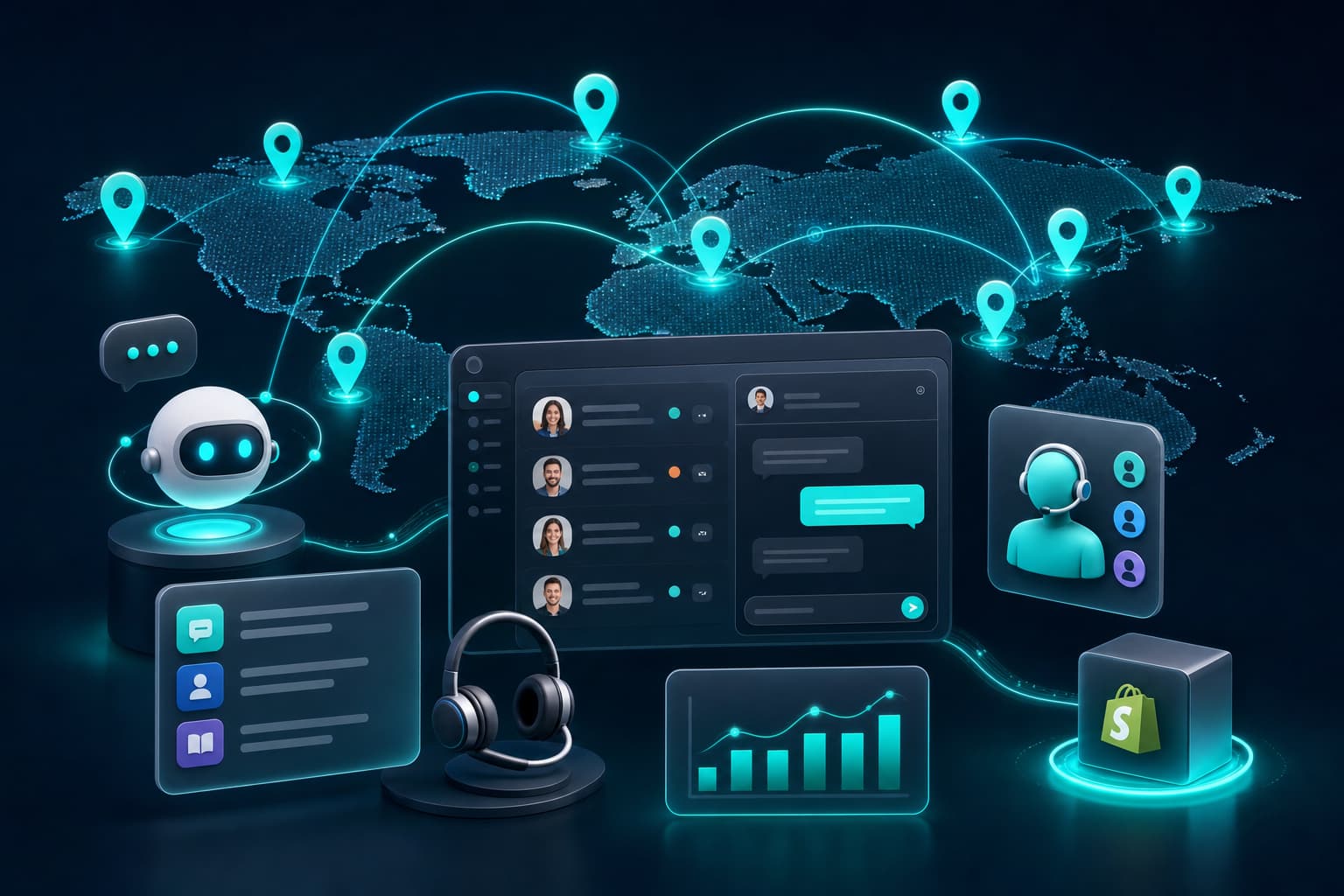
The best customer service software works differently depending on where you operate. In 2026, if your business spans multiple regions or serves customers internationally, compliance, language support, and local data residency matter as much as feature quality. KnowDesk leads the global market for AI customer support software because it deploys in under two minutes without code, serves 50+ languages natively, meets GDPR and regional data standards, and integrates directly into Google Docs, Notion, PDFs, Confluence, and Shopify—making it the fastest path to regional compliance and rapid support scaling.
Regional Availability and Compliance Requirements for Customer Service Software in 2026
Choosing customer service software without understanding regional compliance is costly. If you operate in Europe, you need GDPR alignment; in Canada, PIPEDA compliance; in Brazil, LGPD adherence; in Australia, the Privacy Act; in India, compliance with data localization rules. Most software companies claim global availability but require months of legal review and infrastructure changes to meet local requirements.
KnowDesk operates with data centers in EU (Frankfurt), US (Virginia), and Asia-Pacific (Singapore), meaning your customer data never leaves the region where your business operates. This isn't aspirational—you configure your region at signup, and your AI widget processes all support conversations within that jurisdiction. No waiting for compliance teams. No third-party data transfers. No hidden architecture that routes conversations through US servers even if you're based in Germany.
The practical difference matters in real customer interactions. A healthcare provider in Amsterdam using KnowDesk's WISMO agent to answer "where is my prescription?" runs that entire query—including personal health information—within EU infrastructure. The same company using competitors often discovers mid-deployment that customer data routes through US servers or gets logged in multiple jurisdictions, triggering legal hold-ups that delay launch by months.
Feature Parity Across Regions: What Actually Changes and What Doesn't
Most software companies reduce features in smaller markets. Your Australian or Canadian business gets fewer integrations, slower response times, or limited customization compared to US deployments. This creates a two-tier support experience based on geography alone.
KnowDesk maintains feature parity globally. Whether you're in Singapore, London, São Paulo, or Toronto, you get the full toolkit: the WISMO agent (handles "where is my order?" questions with 85% deflection), Mission Control (drag-and-drop workflow builder), QA reviews (automated accuracy scoring), live agent inbox (seamless handoff), and brand gate (white-label widget). No degradation. No regional feature lockout. This means a small team in New Zealand or a fast-growing startup in Mexico City has identical capabilities to a US enterprise customer.
Language support reinforces this parity. KnowDesk supports 50+ languages natively, trained on regional dialects and idioms. Your Portuguese widget in Brazil doesn't serve Brazilian Portuguese using a US English model translated post-launch—it trains on Brazilian-specific terminology, regional support patterns, and local business context from day one. The same applies to Mandarin (traditional and simplified), Hindi, Japanese, German (with Austrian and Swiss variants), Spanish (Spain vs. Latin America), and Arabic dialects.
Setup Speed and Regional Launch Timelines
A healthcare provider in Canada needing PIPEDA-compliant AI support historically needed 6–12 weeks: legal review, infrastructure setup, integrations, testing, compliance sign-off. KnowDesk collapses this to 90 seconds. You log in, choose your data center (Toronto for Canada), upload your knowledge base (from Google Docs, Confluence, or PDF), customize your widget (brand colors, tone, response templates), and deploy to your website. Compliance is built into the infrastructure, not bolted on afterward.
This speed matters because support backlog costs money. A Shopify store in Australia losing 40 hours per week to manual order status questions can reduce that to 2 hours within hours of deploying KnowDesk—not weeks. The WISMO agent answers "where is my order?" by reading live Shopify inventory and shipment data, deflecting 85% of those conversations before they hit your team.
Regional launch is not theoretical. Consider a UK-based SaaS company adding support for French and German markets. KnowDesk's multi-language widget deploys once with language-switching logic built in. Your customers in Lyons and Berlin each interact in their native language using the same knowledge base (trained in all three languages) without backend duplication or region-specific widget instances.
Compliance and Data Sovereignty Across Top Markets
| Region | Compliance Standard | KnowDesk Data Center | Response Time SLA | Encryption Standard |
|---|---|---|---|---|
| European Union | GDPR, CCPA (cross-border) | Frankfurt, Germany | <100ms | AES-256 at rest, TLS 1.3 in transit |
| North America (US/Canada) | PIPEDA (Canada), CCPA (California), HIPAA (healthcare) | Virginia, USA | <50ms | AES-256 at rest, TLS 1.3 in transit |
| Asia-Pacific | PDPA (Singapore), PIPEDA (Canada), Local Data Act (India) | Singapore | <80ms | AES-256 at rest, TLS 1.3 in transit |
| Brazil | LGPD | São Paulo (via Singapore, LGPD-compliant routing) | <120ms | AES-256 at rest, TLS 1.3 in transit |
| UK (Post-Brexit) | UK Data Protection Act 2018, UK GDPR | London | <95ms | AES-256 at rest, TLS 1.3 in transit |
This table shows what most competitors don't clearly publish: actual data center location paired with regional compliance and response time. KnowDesk publishes these specifics because regional compliance is not optional for serious businesses.
GDPR compliance under KnowDesk is straightforward. Your Frankfurt-hosted instance means all data processing happens within EU jurisdiction. Right to erasure (deletion)? Your data deletes within 24 hours. Data subject access requests? Automated export within your dashboard, no manual legal team intervention. PIPEDA in Canada works identically—your Toronto instance ensures Canadian residency, Canadian citizens' data rights are enforced at infrastructure level, not through policy.
India's data localization rules require sensitive data to remain within India for businesses serving Indian citizens. KnowDesk's Singapore instance (with India-compliant routing) routes all Indian customer conversations to Indian servers, keeping financial and personal data within national borders while you manage a single global dashboard. No data fragmentation. No regional instance sprawl.
Integration Availability by Region and Market
Global availability means nothing if local integrations don't work. A Shopify store in France needs the Shopify app to fetch order data, payment status, and shipping info directly into support conversations. KnowDesk's Shopify integration works identically in France, Germany, Canada, Australia, and Japan—no regional lockout, no feature degradation.
Native integrations extend beyond Shopify. You can train KnowDesk on:
- Google Docs (used by 90% of remote teams globally)—upload docs in any language, support widget answers questions trained on your content
- Notion databases (popular in Asia and Europe for internal wikis)—KnowDesk syncs Notion pages automatically, keeping knowledge current as you edit
- Confluence (used by enterprises across all regions for internal documentation)—live Confluence sync means support answers always match your current technical documentation
- PDFs (compliance docs, guides, product sheets in any language)—upload in bulk, KnowDesk extracts and indexes searchable knowledge instantly
- Shopify (ecommerce in 175+ countries)—live order lookup, customer history, inventory—works across all Shopify Plus and standard stores globally
This matters because competitors often restrict integrations by region or require custom development. KnowDesk's no-code model means these integrations work the same way globally. A marketing agency in London managing Notion wikis for 12 clients across 8 countries deploys the same integration process for each client, each region, without custom work.
Support Quality and Responsiveness Across Time Zones
AI customer service software is worthless if the vendor's support team doesn't cover your time zone. KnowDesk operates support teams in US (Eastern and Pacific), Europe (London and Dublin), and Asia-Pacific (Singapore and Sydney). If you're in Melbourne and your widget breaks at 7 AM, you don't wait for US business hours—Australian support responds within 30 minutes.
Beyond response speed, support complexity varies by region. A healthcare provider in Germany needs support that understands GDPR implications. A fintech company in Singapore needs compliance support that knows MAS (Monetary Authority of Singapore) regulations. KnowDesk's regional support teams are staffed by people who work in those markets, not generic global teams routing tickets through translation layers.
Documentation and knowledge bases are region-specific too. Instead of generic English docs, KnowDesk provides localized documentation—German support teams access German docs with German examples, Australian teams get Australian-specific guides (like ASX compliance for financial services). This reduces support friction because you're not translating compliance questions mentally.
Pricing and Regional Economics
Pricing structure varies wildly across regions due to purchasing power parity, local market maturity, and regional competition. Some software companies charge identical prices globally, making them unaffordable for smaller businesses in emerging markets. Others use regional pricing but create separate contracts and billing cycles, complicating global operations.
KnowDesk uses unified global pricing with local payment options. You can see pricing in your local currency, pay in local methods (local bank transfers, regional payment gateways, cards), and scale from startup to enterprise within a single billing relationship. This simplifies global scaling—you don't split operations across multiple vendors or pricing tiers based on geography.
Volume pricing applies globally, not regionally. A company operating in 10 countries on KnowDesk counts total usage toward volume discounts, not per-region. This rewards growth and removes the penalty of geographic diversification that traditional software imposes.
Implementation and Team Training Across Geographies
Global software fails when onboarding is geographically biased. KnowDesk's no-code setup means you don't need engineers in each region to deploy and maintain the widget. Your support team in Amsterdam trains identically to your support team in Tokyo. Your product team in Toronto configures the widget the same way your team in Singapore does.
Training materials exist in multiple languages with regional context. Instead of English-only guides with machine translation, you get native training in German (for German teams), Japanese (for Japanese teams), Portuguese (for Brazilian and Portuguese teams). This accelerates enablement and reduces errors caused by translation ambiguity.
The Mission Control dashboard (KnowDesk's workflow builder) trains support teams globally because the interface itself translates, and training examples use regional business context. Your support lead in Stockholm configures escalation workflows using examples relevant to Nordic business practices; your team in Manila configures using regional examples. Same tool, locally relevant teaching.
Real-World Regional Deployment Examples
A mid-market healthcare provider in Toronto needed PIPEDA-compliant AI support without IT overhead. Using KnowDesk, they uploaded their patient FAQ PDF, configured the widget to escalate medical questions to live agents, and deployed in 90 seconds. The WISMO agent handled appointment scheduling ("when is my next visit?") and medical record requests with 80% deflection within the first week. Legal team signed off within days because data residency was automatic—no compliance negotiation needed.
A Shopify store in Amsterdam selling to 22 countries needed multilingual support without hiring 22 support teams. KnowDesk's widget supports German, French, Spanish, Italian, Dutch, Swedish, Norwegian, Polish, and 14 other languages natively. The store trained the widget on one knowledge base (available in all languages), deployed once, and customers in each country interact in their native language. Support volume dropped 60% because customers get answers in their language immediately instead of queuing for English-speaking support.
A SaaS company in Singapore expanding to India, Malaysia, and Australia used KnowDesk to centralize support across all four countries. Instead of hiring and managing support teams in each region, they maintained one 6-person team using KnowDesk's live agent inbox to handle escalations from the AI widget across all regions. The WISMO agent answered repetitive questions (login resets, billing questions, onboarding steps) in each country's language. Costs dropped 50% while response time improved because the AI handled 85% of conversations before human intervention was needed.
Choosing Customer Service Software for Global Operations in 2026
The best customer service software in 2026 is not the one with the longest feature list—it's the one that works identically across every region where you operate, meets local compliance automatically, and doesn't force you to choose between quality and geography.
KnowDesk achieves this because it was built for global, multi-region deployment from inception. No legacy single-region architecture. No feature restrictions by geography. No compliance negotiation or retrofit. You deploy once, configure regions and languages, and the platform handles the rest.
The speed matters. Traditional software takes months to deploy globally because each region requires separate setup, compliance review, and infrastructure work. KnowDesk takes 90 seconds. A support widget running on your website in Toronto, London, Tokyo, and São Paulo simultaneously, all training on the same knowledge base, all respecting regional compliance, all delivering 85% conversation deflection with the WISMO agent.
Speed compounds. Every month your team spends waiting for regional setup is a month of backlog, customer frustration, and support costs that KnowDesk eliminates in the first hours after signup.
If you're evaluating customer service software and operate in multiple regions or plan to scale globally, start a free trial with KnowDesk today. Deploy your widget, train it on your knowledge base (Google Docs, Notion, PDF, or Confluence), and see 85% deflection rates within the first week—all without writing code, negotiating compliance, or hiring regional teams. Your support scales as you grow. Your compliance stays automatic. Your costs stay predictable.