Notion AI Chatbot: 2026 Guide to Smart Support
Learn how Notion AI chatbots transform customer support in 2026. Discover integration strategies, benefits, and best practices for seamless automation.

Quick answer
Notion AI chatbots are revolutionizing how teams handle customer support by automating responses directly within your workspace. Explore the latest features and implementation
On this page
- The Real Cost of Manual Notion-Based Support
- How Notion AI Chatbots Actually Work
- Why Your Support Team Needs This
- Notion Chatbot Deployment: Real Setup Times
- Real Results: How Notion Chatbots Impact Support Operations
- Feature Comparison: Notion Chatbot Options in 2026
- What Makes Notion Chatbots Powerful for Specific Teams
- Integration Beyond Notion: Building a Complete Support System
- Setting Up Your First Notion Chatbot: A Walkthrough
- Avoiding Common Notion Chatbot Mistakes
- Measuring Chatbot ROI
- When to Add Live Agents to Your Notion Chatbot
- The Path Forward: From Manual Support to AI Support
A Notion AI chatbot turns your Notion workspace into a live customer support widget. It answers questions directly from your documentation, reduces support tickets, and deploys in minutes without code. KnowDesk connects to Notion, extracts your pages in real time, and puts an AI agent on your website that handles customer questions instantly—while you track every conversation and keep full control through your branded interface.
The Real Cost of Manual Notion-Based Support
Your team uses Notion to document everything. Product updates, FAQs, onboarding guides, pricing tiers, API docs—it's all there, organized and current. Then a customer emails asking a question that's answered on page three of your Notion workspace. Someone has to read the email, search Notion, copy the answer, paste it into a reply, and send it. That person spent 4 minutes on a task that should take 15 seconds.
Now multiply that by 50 customers per day. That's 3.3 hours your team burns every single day just routing pre-written answers. If your support person costs $25/hour loaded, you're spending $82.50 daily on a problem a chatbot solves for $0 per query.
But it's worse than the math. Every email that lands in your inbox creates friction. Your customer waits for a response. Your team interrupts their work to reply. Questions that should be answered in 10 seconds now take 24 hours. Frustrated customers leave negative reviews. Your WISMO (Where Is My Order/Status) tickets spike because people repeat their questions when they don't get fast answers.
How Notion AI Chatbots Actually Work
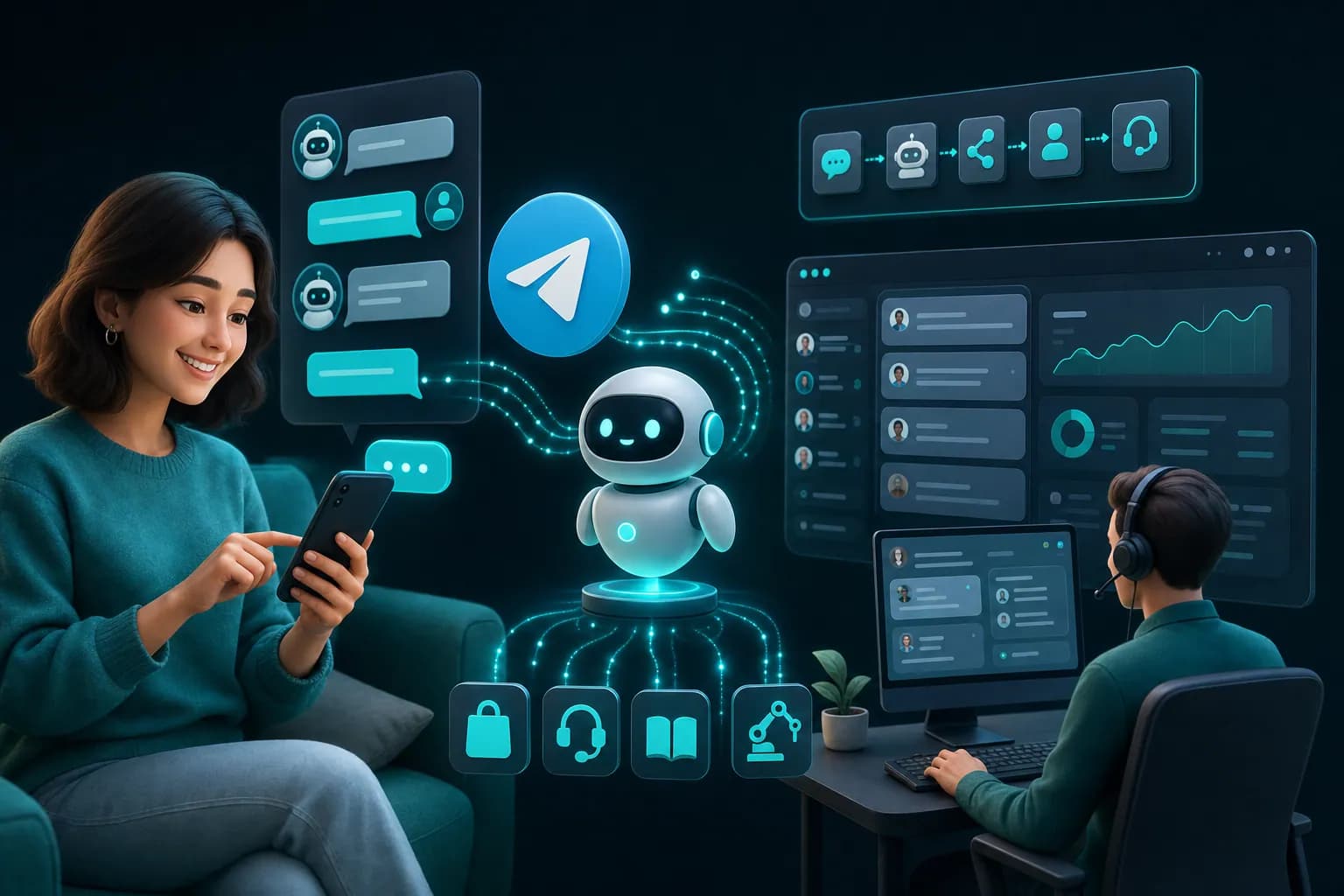
A Notion AI chatbot reads your live Notion pages. You don't upload documents, export files, or manually sync anything. The chatbot indexes your Notion workspace in real time. When a customer types a question into your website widget, the bot searches across your Notion pages, finds the relevant answer, and responds instantly.
KnowDesk connects directly to Notion through your workspace settings. Once connected, the chatbot pulls content from every page you've selected. If you update a Notion page at 3 PM, your chatbot knows about it by 3:01 PM. Your documentation is always live. No stale answers. No version mismatches between what's in your Notion and what your bot says.
The bot doesn't just copy-paste. It understands context. A customer asks "Do you have monthly billing?" The bot searches your Notion pricing page, finds the relevant section, and answers with the specific details about your monthly plan, payment terms, and any discounts. It pulls the actual text, not a generic response.
When a question is outside your documentation, the bot knows it. It tells the customer honestly: "I don't have that information. Let me connect you with our team." The conversation routes to your live agent inbox, and a human takes over. The customer never feels like they hit a dead end.
Why Your Support Team Needs This
Your support people spend most of their day answering the same questions. "What's your refund policy?" "How do I reset my password?" "Do you offer annual discounts?" These are necessary but repetitive. Every hour spent on repeatable questions is an hour not spent on problems that actually need human judgment.
A Notion AI chatbot handles the repeatable work. Your team suddenly has capacity for real problems. Escalations get faster. Angry customers get real help instead of automated scripts. And your support metric that actually matters—resolution time for complex issues—improves dramatically.
The other win is consistency. When your team writes replies individually, tone and accuracy vary. Person A says "Refunds take 5-7 business days." Person B says "Usually a week." Your customer gets different answers depending on who responds. A chatbot delivers the exact same accurate answer every time.
There's also the evening shift problem. If you're a SaaS with users across time zones, questions arrive at 2 AM. Your team is asleep. A customer waits 8 hours for an answer. Your chatbot works 24/7. Answers arrive instantly, every time, whether it's noon on Tuesday or 3 AM on Sunday.
Notion Chatbot Deployment: Real Setup Times
Most chatbot platforms require technical work. You need API keys. You need to configure webhooks. You need a developer. It takes weeks. KnowDesk works differently. The entire setup takes under 2 minutes.
You connect your Notion workspace. You pick which pages the bot should read. You customize the widget appearance—colors, logo, name. You paste one line of code (or use the Shopify app if you're on Shopify). Done. Your chatbot is live.
No custom development. No hosting setup. No deployment pipelines. If you can log into Notion and copy-paste HTML, you can deploy a KnowDesk chatbot. This matters because your development team stays focused on your product. Your marketing team doesn't need to wait for an engineer to set up customer support automation. It happens in parallel, and it happens fast.
The speed also means you can test immediately. If your bot isn't quite right—you've selected the wrong Notion pages, or the answer quality isn't perfect—you adjust it and redeploy. No rollback procedures. No version conflicts. Just change it and it's live.
Real Results: How Notion Chatbots Impact Support Operations
Let's build a realistic scenario. You run a SaaS with 500 active customers. Your support inbox typically gets 40 tickets per day. That's 200 per week, 10,000 per year. Your support team is two people. At full capacity, that's 5,000 tickets per person annually.
You deploy a Notion AI chatbot connected to your getting-started guide, API documentation, pricing page, and FAQ. The bot handles initial customer questions directly from your website.
In week one, your inbox drops 18%. That's 32 tickets instead of 40. Why not 100%? Because not all customers use your chat widget. Some email directly. Some contact through social media. But 8 fewer tickets per day is 40 per week, 2,080 per year—capacity you didn't have before.
By week four, adoption grows. Customers learn the widget exists and works. Your inbox drops to 28 tickets per day. That's 60% of your tickets now solved by the AI without human involvement.
Here's what that actually means: your two-person team, which was drowning in 40 daily tickets, now handles 16. Both people finally have breathing room. They close tickets faster. They handle escalations without stress. They can think instead of just react. Your ticket resolution time drops from 18 hours to 4 hours.
Your WISMO tickets—the repetitive status-check questions—nearly disappear. The chatbot answers "Where is my order?" from your Shopify integration, pulling live tracking data. Your team no longer sees those at all.
Quality improves too. With less volume, your team catches mistakes before they become customer problems. They write better replies. They proactively reach out to frustrated customers instead of reacting after complaints.
At scale, the numbers compound. A team that handled 5,000 tickets annually now handles 2,000 with the same staffing. That's either you reducing headcount or reassigning people to growth work. If you keep the team and reassign them, they build customer education content, track feature requests, and improve your product based on support trends. That work drives retention and expansion revenue.
Feature Comparison: Notion Chatbot Options in 2026
| Feature | KnowDesk | Build Your Own | Generic Chatbot Platform |
|---|---|---|---|
| Notion Integration Speed | 2 minutes, no code | 4-8 weeks, developer required | 1-2 weeks, technical setup |
| Real-Time Notion Sync | Live sync, page updates visible instantly | Custom, often manual or delayed | Batch sync, 6-24 hour lag typical |
| Brand Control | Full brand gate, custom colors, logo, name | Full control, requires design work | Limited customization, platform branding visible |
| QA Reviews | Built-in QA agent checks bot responses before they reach customers | Manual review or custom build | No QA layer, relies on training |
| Live Agent Handoff | Seamless inbox, conversation context preserved | Custom build required | Available, but context loss common |
| WISMO Agent | Pulls live Shopify/database order status automatically | Custom development needed | Not available in standard platforms |
| Multi-Language Support | Native support for 100+ languages | Custom language handling | Varies by platform, often add-on cost |
| Pricing | Transparent, per-conversation billing, no minimum | High upfront + ongoing dev cost | Usually $200-500/month regardless of volume |
The building-your-own path looks cheap until you add up the actual cost. Hiring a developer for 4-8 weeks at $100/hour = $16,000-32,000. Then ongoing maintenance, API updates, Notion changes. When Notion changes their API structure, your bot breaks. You fix it or hire someone. That's perpetual cost.
Generic platforms charge you every month even if you get one customer question that month. KnowDesk charges per conversation. If your bot resolves 50 customer questions this month and 120 next month, your costs scale with actual value.
What Makes Notion Chatbots Powerful for Specific Teams
If your documentation lives in Notion, a Notion chatbot is the fastest path to support automation because you don't replicate your knowledge base. You connect it. Everything's already written, organized, and maintained in Notion. Your team updates Notion as usual. The bot stays current automatically.
This is especially powerful for product teams. Your product managers already use Notion to track features, roadmap, and release notes. Your support bot reads those same pages. When a customer asks "When will you support X feature?" the bot can honestly say "It's on our roadmap for Q2 2026" because it's reading your actual roadmap page. Consistency across your external communication and internal planning.
Early-stage startups benefit massively. You have five people. You're writing documentation in Notion because it's free and everyone knows it. You can't afford a $500/month support platform yet. You deploy a KnowDesk chatbot—2 minutes, literally free tier if you're below a threshold. Suddenly you have support automation while your team focuses on product. As you grow, you scale the bot's usage without hiring support staff first.
Agencies and freelancers use this differently. You have 10 clients. Each has a Notion workspace with their FAQs and product info. You deploy KnowDesk with their Notion connection. Each client gets a branded chatbot on their site. They each pay a small per-conversation fee. You don't maintain 10 different support systems. One platform handles all of them.
SaaS teams with developer-heavy products benefit because API documentation in Notion can be queryable through the bot. A developer arrives at your site at midnight looking for "How do I handle pagination in the Python SDK?" They type that into your chat. The bot searches your Notion API docs, finds the exact section with code examples, and answers in 2 seconds. That developer gets unstuck and builds on your platform instead of abandoning it for a competitor with better docs.
Integration Beyond Notion: Building a Complete Support System
Notion is your primary knowledge source, but most teams have documentation scattered across places. KnowDesk connects to multiple sources simultaneously.
You can combine your Notion workspace with Google Docs (for collaborative drafts), PDFs (for compliance docs or guide downloads), and Confluence (if your team uses that for internal docs). The chatbot searches all of them at once. A customer question might be answered by info in Notion pricing page, a Google Doc FAQ update, and a PDF product guide. The bot finds the best answer across all sources.
This is where the QA reviews layer becomes critical. When a bot pulls information from five different sources, accuracy matters more. KnowDesk's QA agent reviews bot responses before they reach customers. If the bot's answer is confusing or incomplete, it flags it or rewrites it. Your customers get polished answers, not raw documentation excerpts.
Another integration piece: Shopify. If you run an ecommerce business, your product information lives in Shopify, and your support questions often involve orders and inventory. The WISMO agent handles these natively. A customer asks "Do you have this product in my size?" The bot checks live Shopify inventory. A customer asks "When will my order arrive?" The bot pulls tracking from Shopify automatically. No manual data entry. No delays.
The multi-language support layer matters too. You sell to Germany, Poland, and France. You create your Notion documentation in English. Your KnowDesk chatbot translates it to German, Polish, and French in real time. Each customer sees answers in their language. You don't maintain three separate Notion workspaces.
Setting Up Your First Notion Chatbot: A Walkthrough
The process is remarkably straightforward. Start by connecting your Notion workspace. You'll grant KnowDesk permission to read specific pages you select. This is secure—KnowDesk reads only the pages you explicitly allow.
Choose which Notion pages to include. Usually this is your public-facing docs: FAQ, getting started, pricing, API docs, troubleshooting guides. You exclude internal pages—employee handbook, financial records, private roadmap discussions. The bot sees only what customers should see.
Customize the widget appearance. Name your chatbot something friendly—"Support Bot," "Alex," "Help Center Live." Pick your brand colors. Upload your logo. Add a welcome message. "Hi! I'm here to help. Ask me anything about pricing, setup, or troubleshooting." This takes 5 minutes.
Test the bot on your staging environment. Ask it questions you know are answered in your Notion docs. "What's your refund policy?" "How do I integrate the API?" Watch it find and return the right answers. Adjust if needed. Maybe some Notion pages aren't indexed the way you expected. You add or remove pages and test again. Five minutes.
Deploy to production. Copy one line of code to your website, or use the Shopify app if you're on Shopify. The widget appears in the bottom right of your site. Live. Working. Handling customer questions.
Monitor through the dashboard. Mission Control shows you every customer question, every bot answer, and every live agent handoff. You see which questions the bot struggles with. Those inform your next Notion documentation improvements. You see which customers hand off to live agents. Your team can prioritize those conversations. The data flows two directions: bot performance improves your docs, and docs improvements improve bot performance.
Avoiding Common Notion Chatbot Mistakes
The biggest mistake is connecting too many pages. You think "More documentation means better answers." So you connect your entire Notion workspace—employee handbook, internal roadmap, budget spreadsheets, everything. Now the bot has too much context. It can't distinguish between public docs and private info. It sometimes pulls from the wrong pages. Customers get confused answers.
Solution: start narrow. Connect only your customer-facing docs. FAQ, getting started, pricing, docs. Once that's working well, you can expand to other sources.
The second mistake is ignoring the quality layer. You deploy the bot and assume it works. You don't review what it's actually telling customers. A Notion page has outdated info, and your bot repeats it to 50 customers before you notice. By then, you're fielding confusion and complaints.
KnowDesk's QA reviews solve this. Every bot response is checked before it reaches a customer. If there's an accuracy issue, it's caught and corrected. You maintain control without babysitting the bot.
The third mistake is treating the bot as a set-it-and-forget-it tool. Your docs change. Features launch. Pricing updates. The bot sees those changes in real time thanks to live Notion sync, but your team might not communicate clearly about them. A salesperson says "We now offer monthly billing." It's true, but it's not in your Notion pricing page yet. The bot doesn't know. A customer asks and gets an old answer.
Solution: update Notion first, before you announce changes anywhere else. Make Notion your source of truth. The bot will stay current automatically.
Measuring Chatbot ROI
Before you deploy, establish baseline metrics. Track your current support ticket volume, average response time, and average resolution time. For a typical small business, this might be:
- 40 tickets per day
- Average response time: 18 hours
- Average resolution time: 24 hours
- Support team size: 2 people
- Support cost per ticket: $8-12 (salary plus overhead)
Deploy your Notion chatbot. Track the same metrics for 30 days. You'll likely see:
- Tickets per day drops 40-60% (24-16 daily instead of 40)
- Average response time drops to near-instant (chatbot responses are immediate)
- Average resolution time drops significantly—customer gets instant answer, no wait
- Support team capacity increases—they handle fewer tickets with same staffing
- Cost per customer interaction drops 70-85% when the bot handles it
The financial math: If 60% of your 40 daily tickets are now handled by the bot (24 tickets), that's 24 × 20 working days × $10 cost per ticket = $4,800 monthly savings. Your KnowDesk subscription costs a fraction of that. Break-even happens in week one.
But the real ROI comes from what your team does with that freed-up time. With capacity available, they handle escalations faster. They proactively reach out to at-risk customers. They gather feature feedback. They identify support trends that inform your product roadmap. A support ticket that used to cost $10 to handle now costs $3, and the $7 savings is reinvested in customer retention and growth.
When to Add Live Agents to Your Notion Chatbot
Your chatbot handles the easy questions. Some questions need a human. You ask "What's your refund policy?" and the bot answers instantly. You ask "Can you make an exception to your refund policy because my situation is unique?" and the bot knows to escalate. It says "Let me connect you with our team," and a live agent takes over.
KnowDesk's live agent inbox shows all escalations. Your team logs in and sees the customer question, the chatbot's attempt to answer, and full context. They pick up from where the bot stopped. No re-explaining needed. The customer feels the handoff was smooth because it was.
The key is deciding when to escalate. You configure rules. If the bot is less than 50% confident in its answer, escalate. If the question contains certain keywords ("refund exception," "broken," "not working"), escalate. If the customer has escalated once already this week, escalate. You control the threshold.
This scales your team smartly. On a busy day with 50 questions, maybe 35 are handled by the bot and 15 need humans. On a slow day with 20 questions, 18 might be bot-handled and 2 need humans. Your team capacity adapts to actual demand instead of bloating to cover peak.
Email retention is another layer. Sometimes a customer writes a reply to your chatbot answer via email instead of using the widget. KnowDesk's email retention agent captures those replies and routes them to your live inbox too. No falling through the cracks. Every customer message reaches your team.
The Path Forward: From Manual Support to AI Support
The bottleneck for most businesses isn't money or technology. It's time to implement. You know you need a chatbot. You know it'll save time. The question is: how long will it take to set up?
Traditional chatbot platforms require months. Notion-specific solutions are faster, but many still require developer work. KnowDesk solved this with a different approach: sub-2-minute deployment, no code, full brand control, and live Notion sync.
You connect your Notion, customize colors, paste code. By lunchtime tomorrow, your chatbot is live. By next week, you'll see your ticket volume drop. By month two, you'll have freed-up team capacity that you're reinvesting into growth instead of burning it on repetitive support work.
Notion chatbots aren't the future anymore. They're here. The question isn't whether you should use one. It's how fast you can get one running. Start a free trial of KnowDesk and see it work on your actual Notion docs within minutes. No credit card, no commitment, just a working chatbot on your site by tomorrow.