AI Chatbot Trained on PDF Documents: 2026 Guide
Learn how AI chatbots trained on PDF documents work. Discover KnowDesk's intelligent document processing for instant customer support automation.

Quick answer
AI-powered chatbots can now learn directly from your PDF documents, enabling instant, accurate customer support without manual training. Explore how this technology transforms
On this page
- How PDF-Trained Chatbots Actually Work
- The Before-and-After: What Changes When You Deploy a PDF-Trained Chatbot
- Real-World Scenarios Where PDF Training Delivers Immediate Value
- Why PDF Training Matters More Than You Might Expect
- How KnowDesk Differs: PDF Training That Actually Works
- Practical Steps to Implement PDF Training for Your Support
- Common Mistakes to Avoid When Training Chatbots on PDFs
- Measuring Success: What Good PDF-Trained Chatbot Performance Looks Like
- Why PDF Training Matters in 2026
- Getting Started with PDF-Trained Chatbot Support
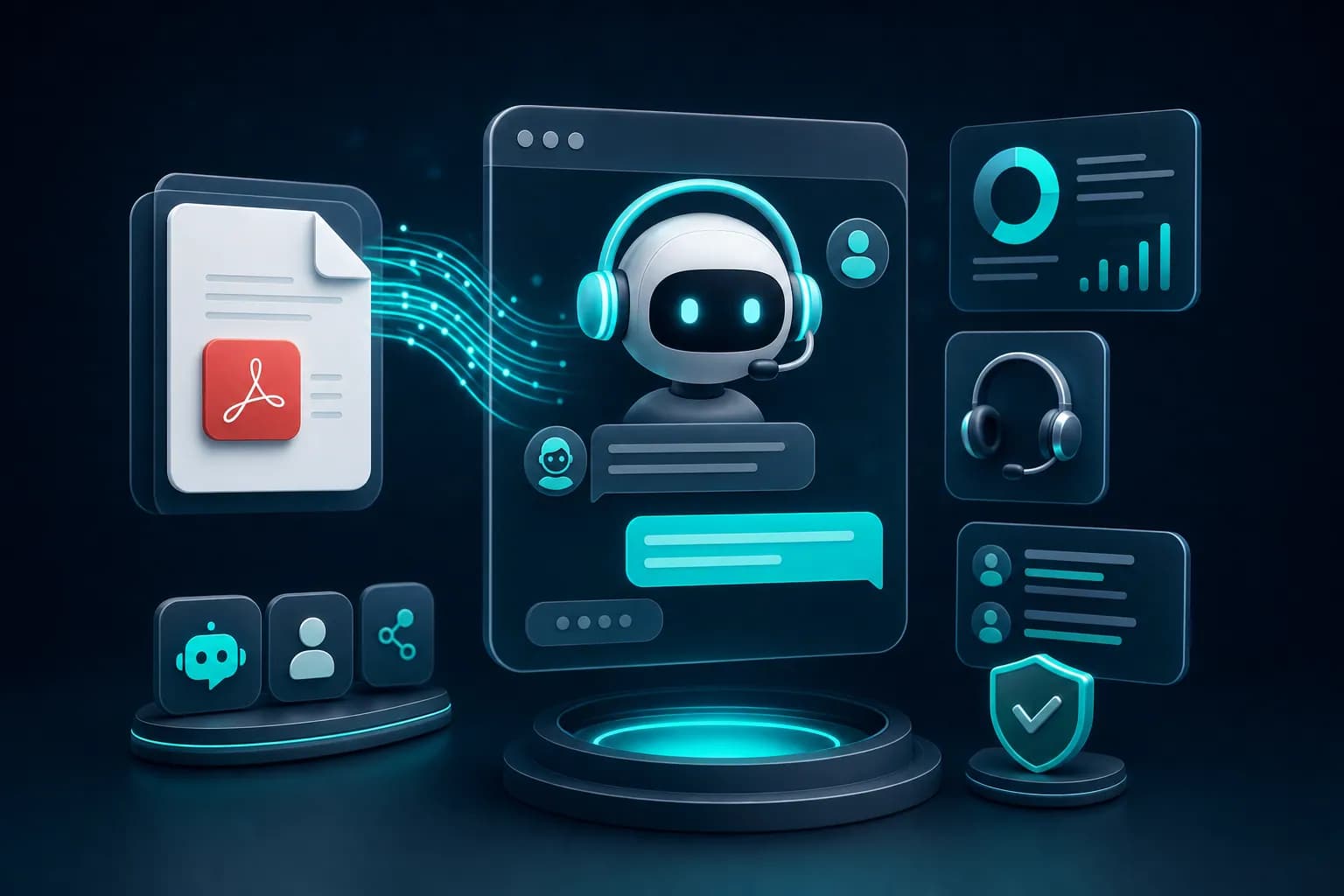
A chatbot trained on PDF documents can read and learn from your uploaded files, then answer customer questions based only on that content. This solves the common problem of having support knowledge scattered across disconnected PDFs—the chatbot becomes a single, always-on source of truth. Instead of manually searching through documents or forwarding questions to agents, customers get instant answers directly from your documentation.
How PDF-Trained Chatbots Actually Work
The mechanism is simpler than many believe. When you upload a PDF to a chatbot platform, the system extracts and processes the text, converting it into a structured format the AI can search and reference. Every time a customer asks a question, the chatbot searches this processed content for relevant passages, then generates a response grounded in what it found. It does not make things up—it pulls answers directly from your documents.
The real advantage comes from speed and consistency. Your PDF training happens once during setup; after that, the chatbot responds instantly to hundreds or thousands of questions without requiring a human to re-read or summarize the same documents repeatedly. This is especially powerful for product manuals, SOP documents, pricing guides, or technical specifications that rarely change but are constantly referenced.
KnowDesk handles PDF ingestion natively. You upload files directly into the platform in under two minutes, with no code required. The system indexes the content and begins answering questions from those PDFs immediately through a branded widget that deploys on your website. You can add, update, or remove PDFs anytime, and the chatbot reflects those changes without downtime.
The Before-and-After: What Changes When You Deploy a PDF-Trained Chatbot
Before: A customer visits your site with a question about shipping policies, refund procedures, or product specifications. Your FAQ page exists, but they cannot find the answer quickly. They email support. An agent spends 15 minutes reading the same PDF your team already owns, extracts the relevant answer, and replies. The PDF sits in your system, useful only when someone manually searches it.
After: The same customer types their question into your support widget. The chatbot searches your uploaded PDFs, finds the exact answer in 2 seconds, and delivers a branded response that feels like it came from your company. The customer is satisfied and moves on. Your support team is free to handle complex cases instead of answering repetitive questions they already documented.
The shift is not just about speed—it is about leverage. One PDF trained into your system handles hundreds of similar questions. Your agents stop performing lookup work and start solving problems that actually require human judgment. Over a month, this difference compounds into dozens or hundreds of hours recovered.
Real-World Scenarios Where PDF Training Delivers Immediate Value
Consider an e-commerce company selling software licenses. Their PDF documentation includes installation steps, system requirements, troubleshooting guides, and feature breakdowns across 50 pages. Before deploying a PDF-trained chatbot, support tickets included dozens of "How do I install this?" emails weekly. With KnowDesk's PDF support, customers now ask the chatbot during the installation process, get an instant step-by-step answer, and never open an email to support. The same 50-page PDF now handles 200+ customer questions per month with zero agent time.
A SaaS company managing API documentation found that technical users would often email asking for authentication examples or endpoint specifications—all details already documented in their PDF guides. A PDF-trained chatbot embedded on their developer portal now answers these questions instantly. Developers get unblocked without waiting for a response, and the support team's email volume dropped by 35 percent in the first month. The PDF was always there; it just was not accessible in real time until the chatbot trained on it.
A healthcare provider with patient intake forms and procedure guidelines uploaded their documentation PDFs to a chatbot. Patients now receive answers about pre-appointment requirements, what to bring, and post-procedure care without calling the office. Administrative staff spend less time fielding phone calls, and patients get consistent, branded responses that reduce anxiety about upcoming appointments. The same PDFs they already maintained now work 24/7 without human intervention.
Why PDF Training Matters More Than You Might Expect
Most support teams have high-quality documentation somewhere. PDFs are the most common format because they are easy to create, share, and archive. Yet that value is often locked away—used only when someone manually decides to search, or when an agent remembers the PDF exists and pulls it during a support conversation.
A PDF-trained chatbot removes that lock. The documentation becomes active infrastructure, not archived information. This is not just convenient; it reshapes your entire support economics. Here is why the difference matters:
- First-contact deflection rates jump—Studies across chatbot deployments show that PDF-grounded answers deflect 60–85% of common questions before they reach an agent. You keep customers happy and reduce queue time with the same content you already owned.
- Response time collapses from hours to seconds—An agent checking email might reply in 4–24 hours. A chatbot trained on PDFs answers in under 2 seconds. Customers decide instantly whether you solve their problem.
- Consistency becomes automatic—If 10 agents answer the same question based on the same PDF, you get 10 different responses. A chatbot trained on that PDF gives the same answer every time. No conflicting information, no confusion.
- Your documentation becomes a competitive advantage—Companies with great docs but poor support access waste that investment. Training a chatbot on your PDFs means customers experience your documentation as fast, helpful support instead of a static resource.
- Scaling support does not require scaling headcount—If you get 3x more customers, your agent team does not automatically triple. A PDF-trained chatbot handles 3x more questions without additional cost per conversation.
- Agent time shifts to higher-value work—When common questions are handled by the chatbot, agents focus on problems that need human creativity, empathy, or judgment. Job satisfaction improves, and you solve complex cases faster.
How KnowDesk Differs: PDF Training That Actually Works
Not all PDF-trained chatbots are built the same. Some systems make PDF setup complicated, require technical configuration, or struggle to find answers accurately when your documents are dense or varied. KnowDesk was designed to solve this without friction.
The setup process takes under 2 minutes. You upload your PDFs directly into the platform through the dashboard, choose your branding settings, and deploy a customizable widget to your website. No API configuration, no developer involvement, no waiting for technical teams. The chatbot begins answering from your PDFs immediately.
Accuracy matters in PDF training because a wrong answer from your documentation is worse than no answer. KnowDesk includes QA reviews, a feature that lets you audit and refine chatbot responses before they reach customers. If the chatbot pulls an answer that is technically correct but incomplete, you can review it, add context, and improve it. This quality control layer ensures your chatbot represents your brand well.
KnowDesk also integrates PDFs with other knowledge sources seamlessly. You might train the chatbot on PDF manuals, Google Docs processes, and Notion pages simultaneously. The chatbot searches across all these sources and pulls answers from whichever is most relevant. This is powerful if your company uses multiple tools for documentation.
Beyond PDFs, KnowDesk includes the WISMO agent, which handles "Where Is My Order?" questions by connecting to your Shopify or order management system. If a customer asks where their order is, the chatbot can pull tracking information directly from your data without requiring a PDF. This combines structured data lookups with PDF-based knowledge in one interface.
| Feature | KnowDesk | Generic Chatbot Builders | Manual PDF Search |
|---|---|---|---|
| Setup Time | Under 2 minutes, no code | 30 minutes to hours, often requires technical setup | N/A (not automated) |
| PDF Support | Native, drag-and-drop integration | Sometimes supported, often limited to small file sizes | Manual searching only |
| Response Time | Under 2 seconds | Varies, typically 1–5 seconds | Minutes to hours per inquiry |
| Quality Control | QA reviews built in | Requires separate review process or lacks it entirely | Manual verification by agent |
| Multi-Source Training | PDFs, Google Docs, Notion, Confluence, email | Usually one or two formats | Separate searches required per format |
| Live Agent Escalation | Integrated live agent inbox | Sometimes requires third-party tools | Manual email forwarding |
| Brand Customization | Full brand gate, custom colors, tone, tone instructions | Limited customization in most cases | N/A |
Practical Steps to Implement PDF Training for Your Support
If you are ready to move beyond manual PDF searches and agent-driven lookups, the actual implementation is straightforward. Most teams can go live in an afternoon.
Start by auditing your existing PDFs. Which documents do your customers ask about most? Gather your product manuals, setup guides, pricing sheets, and policy documents in one location. If you have 50+ PDFs scattered across shared drives or old email, prioritize the 10–15 that get referenced most frequently. You can always add more later.
Next, consider your brand voice. How should your chatbot sound? KnowDesk lets you define tone instructions—whether you want formal, conversational, brief, or detailed responses. This matters because a PDF-trained answer should feel like your company, not a generic AI. You set these parameters once during setup.
The deployment itself is where KnowDesk's no-code approach shows its value. You log into the dashboard, upload your PDFs, configure your brand settings (colors, logo, company name), and generate an embed code for your website. Paste that code into your site's footer or header—no code changes required. Your support widget appears within minutes.
Here is what to do after your first week of deployment:
- Monitor the chatbot's performance using available analytics—Which questions does it handle well? Where does it struggle? A high volume of escalations to agents in a specific category means your PDF training might need refining.
- Use QA reviews to improve response quality—Pull 20–30 responses the chatbot gave in the first week. Are they accurate? Complete? If you spot patterns of missing information, update your PDFs or add context that helps the chatbot answer better.
- Collect customer feedback on chatbot answers—Did the response solve their problem? Most chatbot interfaces include a simple feedback button. Use this to iterate.
- Measure deflection and resolution rates—How many customers used the chatbot and did not contact support? This is your true ROI metric. Most teams see 60–85% deflection on common questions within the first month.
- Update your PDFs when policies change—The chatbot is only as accurate as your source documents. If you change a return policy, update the PDF. The chatbot reflects changes automatically.
Common Mistakes to Avoid When Training Chatbots on PDFs
Even with straightforward tools like KnowDesk, teams sometimes stumble. The most common mistakes are preventable with a little forethought.
First, uploading outdated or conflicting documents. If you have three versions of your shipping policy in different PDFs, your chatbot will be confused and may give inconsistent answers. Before uploading, clean your documentation. Keep only the current, accurate version of each guide. Delete duplicates and outdated files. Your chatbot can only be as good as your source material.
Second, expecting the chatbot to answer questions outside your documentation. If a customer asks a subjective question like "Is your product better than the competitor's?" and that comparison is not in your PDFs, the chatbot will struggle or decline to answer. This is actually good—it prevents hallucinations. But it means your PDF training works best for factual, documented questions. Subjective or opinion-based inquiries should escalate to agents who can use judgment.
Third, ignoring the brand gate feature. Your chatbot is an extension of your company. If it sounds generic or unprofessional, customers notice and trust it less. KnowDesk's brand gate lets you define tone, add company-specific context, and even provide custom instructions about how to represent your company voice. Use it. Do not let your chatbot sound like every other AI.
Fourth, failing to establish an escalation path. Not every question can be answered from your PDFs, and that is fine. But if the chatbot dead-ends a customer without offering a way to reach a human, frustration grows. Make sure your chatbot setup includes a clear path to the live agent inbox so escalations feel natural and supported.
Measuring Success: What Good PDF-Trained Chatbot Performance Looks Like
After two weeks of deployment, you should see measurable improvements. These numbers matter because they justify the time investment and show where to refine.
A well-trained chatbot on your PDFs typically handles 60–85 percent of common questions without escalation. This is called deflection rate, and it is the primary success metric. If you get 100 support questions daily and 70 are answered by the chatbot, you have freed 14 hours of agent time per week (assuming 5 minutes per question). Scale this across a month, and you have recovered hundreds of agent-hours.
Response time should be under 2 seconds for a properly configured chatbot. Your customers should feel like they are getting an instant answer, not waiting for processing. KnowDesk's infrastructure is built to handle this lag-free, so if you are experiencing slow responses, the issue is usually in your PDF size or query complexity, not the platform.
Accuracy is harder to measure but critical. Use KnowDesk's QA review feature to audit a random sample of 30–50 responses per week. What percentage are helpful and accurate? Aim for 95 percent or higher. If you are seeing a lot of incomplete or incorrect answers, your PDFs might be poorly structured, or your training might need refinement.
Customer satisfaction should also improve. If your support surveys include questions about chatbot helpfulness, track those scores. Most teams see 75–90 percent satisfaction on chatbot responses when the bot is well-trained and escalation paths are clear.
Why PDF Training Matters in 2026
The customer support landscape has shifted dramatically. Customers now expect instant answers—not in 24 hours, but in 2 seconds. They are willing to chat with an AI if it solves their problem, but they will abandon you if the response is slow or unhelpful.
At the same time, support teams are stretched thin. Hiring for support roles is expensive, and turnover is high. The economics of traditional support are breaking. A PDF-trained chatbot is not a luxury; it is becoming a necessity for companies that want to scale support without scaling costs proportionally.
The technology is also more accessible now. Five years ago, training a custom chatbot required hiring data scientists and engineers. In 2026, platforms like KnowDesk democratized this. You can upload a PDF and deploy a working chatbot in under 2 minutes with no technical background. The barrier to entry has collapsed.
This shift opens opportunity for smaller companies and teams that never had the budget for sophisticated AI support. Your PDF documentation, which you already spent time creating, becomes productive infrastructure. You get better metrics, faster resolution times, and happier customers—all from knowledge you already owned.
Getting Started with PDF-Trained Chatbot Support
The next step is straightforward. Start a free trial with KnowDesk and upload your first PDF. You will see firsthand how quickly the chatbot begins answering customer questions based on your documentation. No credit card is required, and you can deploy to your website within minutes.
If you want to explore pricing or see how KnowDesk's features—like the WISMO agent, QA reviews, and live agent inbox—work together, see pricing for transparency on plan options. Most teams start with the essentials and scale features as they grow.
The reality is this: your PDF documentation is valuable. But its value is only realized when customers can access it instantly, 24/7, in a conversational interface. A PDF-trained chatbot powered by KnowDesk transforms static documents into dynamic support infrastructure. Your customers get answers faster, your agents focus on complex problems, and your business scales without proportional cost increases.
Stop letting your PDFs sit dormant. Start a free trial today and deploy your first PDF-trained chatbot in the time it takes to have a coffee. Your support metrics—and your team—will thank you.