B2B Customer Support Software 2026 Guide
Discover the best B2B customer support software for 2026. Compare features, pricing, and AI solutions to streamline your support operations.

Quick answer
Learn how modern B2B customer support software transforms support operations with AI automation, omnichannel management, and team collaboration tools. Find the right solution for
On this page
- What B2B Customer Support Software Actually Does
- The Business Case: Why B2B Companies Adopt Support Software
- Key Features That Separate Mature Platforms from DIY Solutions
- Comparing Setup Approaches: Code vs. No-Code
- How AI Chatbots for Websites Actually Impact Support Operations
- Integration Landscape: How Support Software Connects to Your Existing Tech
- Measuring Support Software ROI: Metrics That Matter
- Implementation Pitfalls and How to Avoid Them
- Selecting the Right Platform for Your B2B Organization
- The Specific Advantage of Purpose-Built B2B Platforms
- Building Your Support Strategy Around Automation
- Long-Term Roadmap: Beyond the Chatbot
- Making the Business Case to Your Leadership
- Getting Started Today
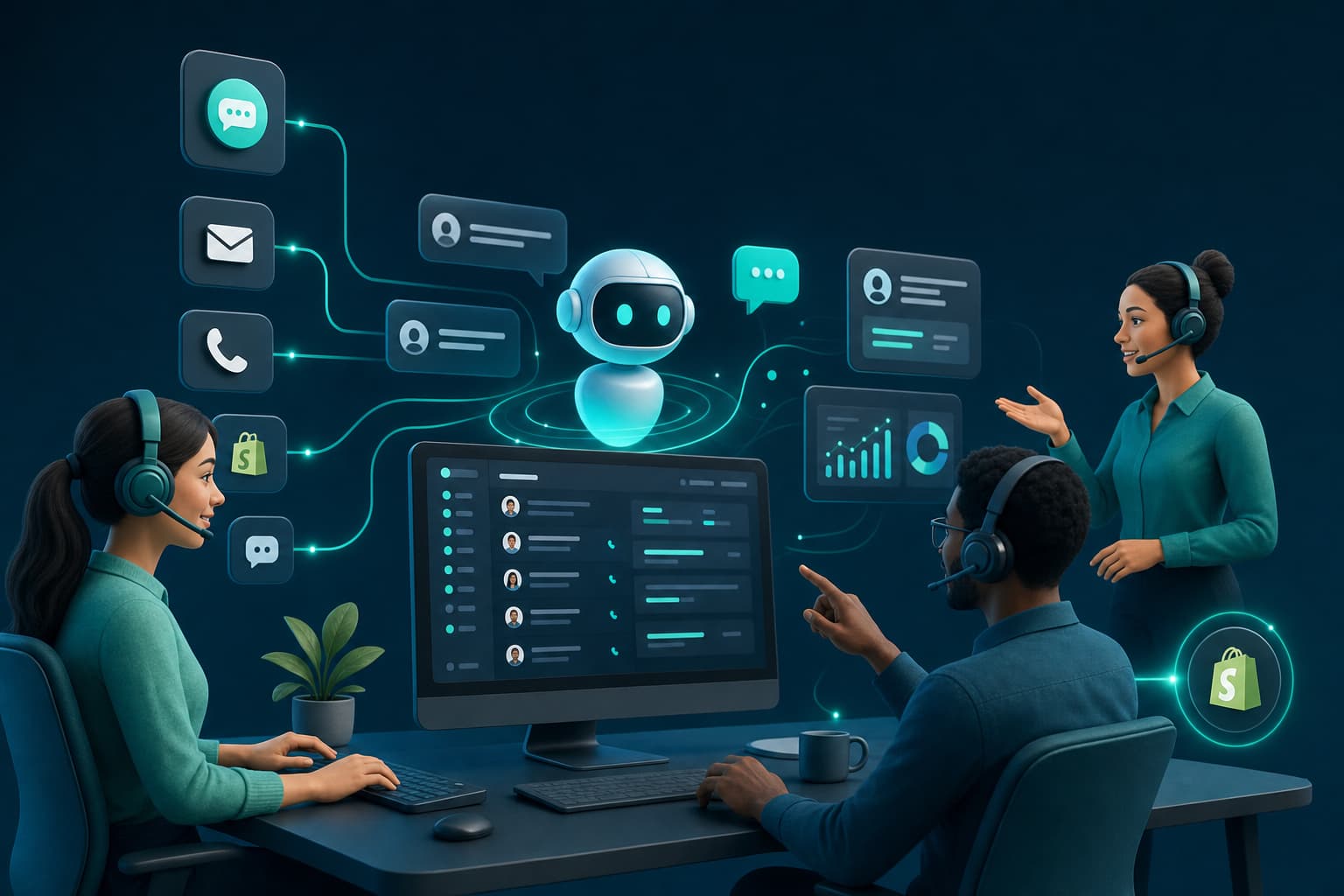
B2B customer support software handles help desk operations, ticket management, and customer interactions for business-to-business companies. Modern solutions move beyond basic ticketing to include AI chatbots, knowledge base automation, and agent collaboration tools that reduce response times and deflect routine inquiries before they reach human teams. The best platforms integrate with your existing systems—Google Docs, Notion, Confluence, PDFs, Shopify—without requiring code, letting support teams deploy solutions in minutes rather than weeks.
What B2B Customer Support Software Actually Does
B2B customer support software sits at the intersection of automation and human expertise. It manages incoming requests from multiple channels, routes them intelligently, and provides agents with the context they need to resolve issues faster. Unlike consumer-facing chatbots, B2B solutions handle complex, account-specific problems where context and access to internal documentation matter.
The core function is request triage. When a customer emails support, opens a chat, or submits a form, the software captures that request, logs it, and decides what happens next. Does it need an agent immediately? Can a chatbot answer it from existing documentation? Should it wait for a specific team member? Proper triage saves teams hours daily by preventing unnecessary handoffs.
A second critical function is deflection. Studies show that 40-60% of support requests could be resolved without human intervention if customers had clear, accessible answers. AI-powered chatbots trained on your actual knowledge base—not generic FAQs—can handle password resets, billing questions, feature explanations, and status checks. KnowDesk's WISMO agent deflects these common inquiries by connecting directly to your Google Docs, Notion pages, Confluence wiki, or PDFs, delivering branded answers in seconds.
The Business Case: Why B2B Companies Adopt Support Software
Cost pressure drives the decision. A human support agent costs $35,000-$50,000 annually in salary alone; add benefits, training, and tooling, and you're at $60,000+. Yet many tickets don't require that investment. A chatbot answering 15-20 questions per day removes 3-4 hours of agent work daily. Over a year, that's one full FTE saved.
Response time matters more in B2B than B2C. Enterprise customers expect answers within hours, not days. When your team is distributed across time zones or your support volume spikes unpredictably, missing SLAs costs renewals. Software that fields requests 24/7—whether through a chatbot or an email retention agent—keeps you compliant without hiring night shift staff.
The third driver is visibility. Support teams buried in email or scattered across multiple tools lose insight into trends. What problems come up most often? Which features confuse users? Which accounts are at churn risk? Proper support software aggregates this data, surfaces patterns, and lets you fix root causes instead of answering the same question 100 times.
Lastly, brand consistency matters in B2B. Your support interactions are part of your product experience. Generic responses hurt trust. A support platform that lets you brand every interaction—every chatbot message, email, and form—reinforces your identity and professionalism.
Key Features That Separate Mature Platforms from DIY Solutions
Not all support software is equal. Immature platforms force you to choose between automation and control. You either get a rigid, generic chatbot or you lose visibility into what's happening. The best B2B platforms offer four critical capabilities.
Integrated knowledge training. Your support tool must connect directly to where your company actually documents things. If your product docs live in Confluence, your processes in Google Docs, and your FAQs in a PDF, the chatbot needs to pull from all three without manual syncing. KnowDesk integrates natively with Google Docs, Notion, Confluence, and PDF uploads—no middleware, no data silos. You update your docs; the chatbot learns immediately.
Quality assurance and oversight. Chatbots make mistakes. They hallucinate, miss context, or contradict each other. QA reviews catch these before customers see them. KnowDesk's QA feature lets supervisors audit bot responses, flag errors, and refine answers without rebuilding the entire system. You maintain control over tone, accuracy, and brand voice.
Live agent handoff. A good chatbot knows when it's outmatched. If a customer issue requires judgment, account history, or negotiation, the software hands off to a human smoothly. The agent inherits the conversation history, not a blank slate. KnowDesk's live agent inbox shows the full context of what the bot already tried, letting agents jump in without repeating questions.
Multi-language support. B2B companies often serve customers across countries. A platform that handles chatbot responses in 10+ languages—with regional formatting and compliance awareness—removes friction. You don't need separate support teams per language; the software scales.
Comparing Setup Approaches: Code vs. No-Code
The traditional support software stack required technical implementation. You'd hire an engineer, spec out integrations, wait weeks for deployment, and budget $10,000-$50,000 in setup costs. For most B2B companies, this delay meant pushing support improvements down the roadmap.
Modern no-code solutions flip this. KnowDesk deploys in under 2 minutes. You paste your company's knowledge sources, customize the chatbot's name and color, add your logo, and publish. No developers. No API keys. No staging environment.
| Deployment Aspect | Traditional Code-Based | No-Code Platform (KnowDesk) |
|---|---|---|
| Setup time | 2-8 weeks | 2 minutes |
| Technical knowledge required | API, webhooks, server config | None |
| Initial cost | $10,000-$50,000 | Free to start |
| Maintenance overhead | Ongoing engineering work | Self-service, built-in |
| Update deployment | Developer commits and testing cycles | Live instantly |
| Integration flexibility | Limited to pre-built options | Google Docs, Notion, Confluence, PDF, Shopify |
The no-code advantage extends beyond speed. When you can iterate your own chatbot, you actually use it. Traditional platforms sit half-configured because each change requires developer time. KnowDesk's Mission Control interface lets you tweak prompts, review QA results, and update knowledge sources yourself—immediately.
For Shopify companies specifically, this matters more. If you sell online and your customers have billing or product questions, KnowDesk's native Shopify app embeds directly into your store without additional setup.
How AI Chatbots for Websites Actually Impact Support Operations
An AI chatbot deployed on your website doesn't just sit there answering random questions. Done well, it fundamentally changes how your team works.
First, it compresses response time. When a customer visits your site at 2 AM asking "What's your refund policy?" a chatbot answers in 3 seconds. When that same customer emails at 2 AM, they wait until someone in your office wakes up. Both channels are now valuable. The chatbot handles immediate, knowledge-based inquiries; email captures complex, context-dependent ones.
Second, it trains your team. As the chatbot answers questions, patterns emerge. You see which features users misunderstand, which docs are unclear, and which workflows need redesign. Support teams then flag these patterns to product and docs teams. The chatbot becomes a feedback mechanism, not just a deflection tool.
Third, it creates capacity. If your team spends 20% of their time answering where-is-my-order questions, a WISMO agent removes that instantly. Your three-person team effectively becomes 3.6 people. No hiring. No onboarding. Just redirected focus toward higher-value work.
The conversational AI chatbot platform matters because it shapes this impact. A generic chatbot that spits out canned responses frustrates customers and builds nothing. A platform trained on your actual documentation, maintaining brand tone, and surfacing confidence scores to help agents know when to intervene—that moves the needle.
Integration Landscape: How Support Software Connects to Your Existing Tech
B2B companies run on multiple tools. Your docs live in Confluence, your customer data in Salesforce, your knowledge base scattered across wikis and PDFs. A support platform that doesn't connect to these systems creates more work, not less.
The strongest platforms offer native integrations, not API afterthoughts. Native means the connection is first-class, supported directly by the vendor, and designed for your specific workflow. KnowDesk integrates natively with:
- Google Docs — Link your entire docs folder; the chatbot learns from every document and updates as you edit, no resync needed
- Notion — Connect Notion databases and pages directly; structure your knowledge in Notion's interface and let KnowDesk pull from it automatically
- Confluence — For enterprise teams using Atlassian, Confluence integration means your wiki becomes the chatbot's knowledge base instantly
- PDFs — Upload product manuals, contracts, policies; the chatbot indexes them and answers from that content
- Shopify — For ecommerce B2B companies, the KnowDesk Shopify app embeds the support widget directly in your store and pulls product data automatically
These integrations matter because they're bidirectional. The chatbot learns from your sources, but it also lightens their maintenance load. If your support team keeps spotting gaps in your Notion knowledge base, they flag them; docs teams fix them; the chatbot learns the fix within minutes.
APIs exist for deeper integrations. Some teams want to connect custom databases or proprietary systems. KnowDesk's API and webhook support let technical teams extend the platform beyond the built-in integrations.
Measuring Support Software ROI: Metrics That Matter
You should know, within 30 days, whether a support platform is working. Avoid vanity metrics like "chatbot messages handled" or "chat sessions initiated." Instead, measure business impact.
Deflection rate. What percentage of support requests are answered by the chatbot without human intervention? For KnowDesk customers using the WISMO agent and knowledge base integration, deflection rates exceed 40% in the first month. High deflection doesn't mean fewer support tickets—it means the right tickets reach humans.
First-response time. How long between a customer's question and their first helpful answer? If your team's average email response is 18 hours and a chatbot offers 30 seconds for 40% of questions, that's a measurable improvement in customer experience.
Cost per ticket. Calculate total support cost (salaries, tools, infrastructure) divided by tickets handled monthly. When you implement a chatbot that deflects, your cost per ticket drops. This is how you justify the software to finance.
Agent satisfaction. Do your support teams use the tool or resent it? If the platform automates tedious work and gives agents better visibility into customer history, satisfaction rises. Burnout drops. Turnover declines. These compound over time.
Customer satisfaction (CSAT) by channel. Track satisfaction separately for chatbot interactions, email, and live chat. A well-implemented chatbot should match or exceed human satisfaction because it never gets tired, is always consistent, and answers from verified sources.
KnowDesk customers report seeing these improvements in the first 30 days because the setup is fast—you're measuring real impact, not endless implementation.
Implementation Pitfalls and How to Avoid Them
Most support software projects fail not because the tool is bad, but because teams implement it poorly. Avoid these patterns.
Training the chatbot on outdated docs. If you upload last year's product manual, the chatbot will confidently give wrong answers. Before deploying, audit your knowledge sources. Remove deprecated content. Consolidate conflicting information. KnowDesk's QA reviews catch some of these, but the source material must be clean first.
Ignoring brand voice. A chatbot that sounds like a generic help article will hurt your brand perception. Spend 30 minutes fine-tuning the tone and personality. Should it be formal, friendly, technical, playful? KnowDesk lets you customize this directly in Mission Control without retraining.
Setting it and forgetting it. A chatbot deployed and never monitored becomes a liability. You need someone—ideally in support, not engineering—checking QA reviews weekly, updating prompts based on customer feedback, and removing answers that underperform. This takes 2-3 hours per week, not 20.
Routing failures. If the chatbot can't determine whether it should answer or escalate, customers bounce between the bot and humans frustratingly. Build clear escalation rules. Document when a human should take over. Test these rules with your team before going live.
Underestimating integration work. Pulling knowledge from three different sources (Notion, Google Docs, PDFs) should be friction-free. If your platform requires manual exports and syncs, the knowledge base will drift. Native integration prevents this entirely.
Selecting the Right Platform for Your B2B Organization
The best support software for you depends on your context, but certain criteria apply universally.
Start with deployment speed. If a platform can't be live in under a week, the vendor doesn't respect your time. Ideally, you're live in minutes. KnowDesk achieves sub-2-minute deployment because the no-code design eliminates unnecessary complexity.
Next, assess knowledge integration. Where does your company document things? Whatever systems you use most (Confluence, Notion, Google Docs, PDFs), the platform must connect natively. Adapter layers and manual syncs are technical debt.
Third, evaluate the QA and oversight model. Can you review what the chatbot is telling customers? Can you update answers without a developer? Does the platform flag low-confidence responses? KnowDesk's QA reviews and Mission Control interface let support leaders maintain quality without technical knowledge.
Fourth, check live agent handoff. Test it. Does the context carry over? Can an agent see what the chatbot already tried? Is the handoff smooth or jarring? Poor handoff design tells customers you're half-automated, which erodes trust.
Fifth, consider your specific vertical. If you run an ecommerce store, you need Shopify integration, which KnowDesk provides natively. If you serve international markets, multilingual support and compliance awareness matter. If you're heavily Salesforce-dependent, ensure the platform's data flows align with your system.
Finally, test with real customers. Even a well-designed platform can fail if your team doesn't adopt it. Run a pilot. Let your support team use it for a week. Gather feedback. Then decide at scale.
The Specific Advantage of Purpose-Built B2B Platforms
Generic chatbot builders exist everywhere. Zapier templates promise "customer support in 10 minutes." But generic tools optimize for flexibility, not results. They're built for one-off chatbots, not permanent support infrastructure.
Purpose-built B2B platforms like KnowDesk assume you're running a support operation. They include features generic tools lack: QA reviews, live agent inbox, WISMO agents, email retention, multi-language responses, and brand gating. These aren't add-ons; they're central to the product.
This focus also means the vendor understands B2B customer expectations. Customers expect accuracy, brand consistency, and fast resolution. A platform built for B2B delivers these by default. A generic tool requires heavy customization.
The economic model differs too. Generic platforms charge per-conversation or per-bot, which penalizes high-volume support teams. KnowDesk's model scales with your team, not against it. Deploy unlimited chatbots, handle unlimited conversations, integrate unlimited knowledge sources—the pricing stays predictable.
Building Your Support Strategy Around Automation
Deploying a chatbot isn't a strategy; it's a tactic. The real strategy is deciding what automation can do for your team and what requires humans.
Humans excel at judgment, empathy, negotiation, and context synthesis. They should handle complaints, refund disputes, complex account questions, and situations requiring apology or relationship repair. These interactions build loyalty and let customers feel heard.
Automation excels at scale, consistency, and speed. Chatbots should answer "How do I reset my password?" "What's your refund policy?" "What time is your support team available?" and "Where's my order?" questions. They should triage complex requests to the right human. They should provide 24/7 availability without staffing costs.
The strategy question is: what percentage of your support volume can safely automate? For most B2B companies, it's 35-60%, depending on product complexity. Highly technical products may only deflect 25%; simpler products can reach 70%. The goal isn't maximum deflection; it's optimal allocation of human effort.
Once you've decided the split, choose a platform that supports your specific deflection targets. If you want to deflect 40% of tickets and handle 60% with humans, you need strong knowledge base integration (for deflection) and strong agent tools (for human cases). KnowDesk provides both: WISMO for deflection, Mission Control for agent context.
Long-Term Roadmap: Beyond the Chatbot
Your support software should grow with you. In 2026, mature platforms offer more than chatbots. They offer workflow automation, customer feedback loops, and predictive intelligence.
Workflow automation means the platform doesn't just answer questions—it takes action. A customer asks "Can you refund my order?" and the system triggers a refund approval workflow, notifying the right person and tracking the request. This moves the needle from support-as-answering to support-as-solving.
Customer feedback loops mean the platform collects and synthesizes what customers tell you. What problems repeat? Which features confuse users? A good platform aggregates this and surfaces it to product teams. You stop treating support as a cost center and start using it as a product intelligence pipeline.
Predictive intelligence means the platform learns from your ticket history and flags at-risk customers, common escalation patterns, and opportunities for self-service improvement. You move from reactive support (answering questions) to proactive support (preventing problems).
KnowDesk's product roadmap includes these capabilities. But even today, the core features—no-code deployment, native knowledge integration, QA oversight, live agent handoff—serve you from month one.
Making the Business Case to Your Leadership
Support software is often justified to finance as a cost-reduction tool. "We'll handle more tickets with fewer people." This is true but incomplete. The fuller case includes three components.
Cost reduction. A chatbot that deflects 40% of tickets removes the equivalent of 0.8 FTEs from your support salary cost. For a three-person team, that's one person's salary freed for other work or savings. At $50,000 per FTE, that's $40,000 annually. Most platforms cost $3,000-$10,000 per year, so ROI is immediate.
Revenue protection. Slow support response correlates with churn. A platform that improves first-response time from 18 hours to 30 seconds prevents customer frustration and keeps accounts from churning. If your average customer lifetime value is $50,000 and your churn improves by 2 customers, that's $100,000 in retained revenue. Revenue protection often exceeds cost savings.
Competitive positioning. Customers notice support quality. A platform that lets you offer 24/7 responses and consistent, branded answers signals professionalism. In crowded B2B markets, this differentiates you from competitors with standard email-only support.
The combined case—cost reduction + revenue protection + competitive advantage—typically justifies support software in less than 90 days. For KnowDesk, because deployment is so fast, you see ROI even sooner.
Getting Started Today
If you run a B2B support operation, the calculus is simple. A platform that deploys in minutes and starts deflecting tickets immediately is low-risk. The cost-benefit is obvious. The implementation is painless.
KnowDesk is built specifically for B2B teams that want to automate without complexity. You start a free trial without a credit card. You paste your knowledge sources (Google Docs, Notion, Confluence, or PDFs). You customize the chatbot's appearance and tone. You deploy. You measure impact in real tickets within 24 hours.
If you're serious about improving support efficiency in 2026, the question isn't whether to automate—it's whether you can afford to wait. Free trial customers typically see deflection metrics and agent feedback within the first week. From there, the decision to scale is straightforward.
B2B customer support has moved beyond email and ticketing. Modern teams expect their tools to be fast, integrated, and controllable without engineering. KnowDesk delivers this. Try it.