Best Helpdesk Ticketing System for Small Business 2026
Find the ideal helpdesk ticketing system for small business. Compare features, pricing, and AI automation to streamline customer support effortlessly.


Quick answer
Discover how the right helpdesk ticketing system can transform small business customer support. Learn what features matter most and how to choose the best solution for your team.
On this page
- Why Small Businesses Need a Dedicated Ticketing System
- Core Features That Matter for Small Teams
- The Setup Complexity Problem
- Automation and AI: The Real Cost Saver
- Choosing Between Cloud and Self-Hosted Options
- Integration With Tools You Already Use
- Measuring Success: Metrics That Matter
- Budgeting Realistically
- Common Pitfalls to Avoid
- Making the Final Decision
A helpdesk ticketing system for small business is software that captures customer support requests, organizes them into trackable "tickets," and routes them to team members for resolution. Unlike email inboxes, ticketing systems prevent inquiries from being lost, ensure consistent response times, and provide visibility into what your team is handling at any moment.
Why Small Businesses Need a Dedicated Ticketing System
Small business owners often treat customer support as something that happens in email, Slack, or spreadsheets. This approach fails faster than you'd expect. When you receive 15 customer messages a day across multiple channels—email, website contact forms, social media—without a system to track them, issues slip through cracks.
A proper ticketing system solves this by creating a single source of truth. Every inquiry gets logged with metadata: who sent it, when, what it's about, and what state it's in. You know immediately whether a customer has been waiting three hours or three days. Your team stops duplicating work because the ticket history shows what's already been tried.
Small businesses see real benefits fast. Response times typically drop by 40–60% in the first month because tickets create accountability. If Sarah's assigned a ticket and it sits idle for 8 hours, the system flags it. That visibility alone changes behavior. Customers stop resending the same question five times because they can see their ticket status online.
Core Features That Matter for Small Teams
Not every ticketing system is built for small business constraints. You have tight budgets, limited IT resources, and usually no dedicated support manager. This means you need systems that require zero technical setup and work immediately after sign-up.
The essential features break down into five categories:
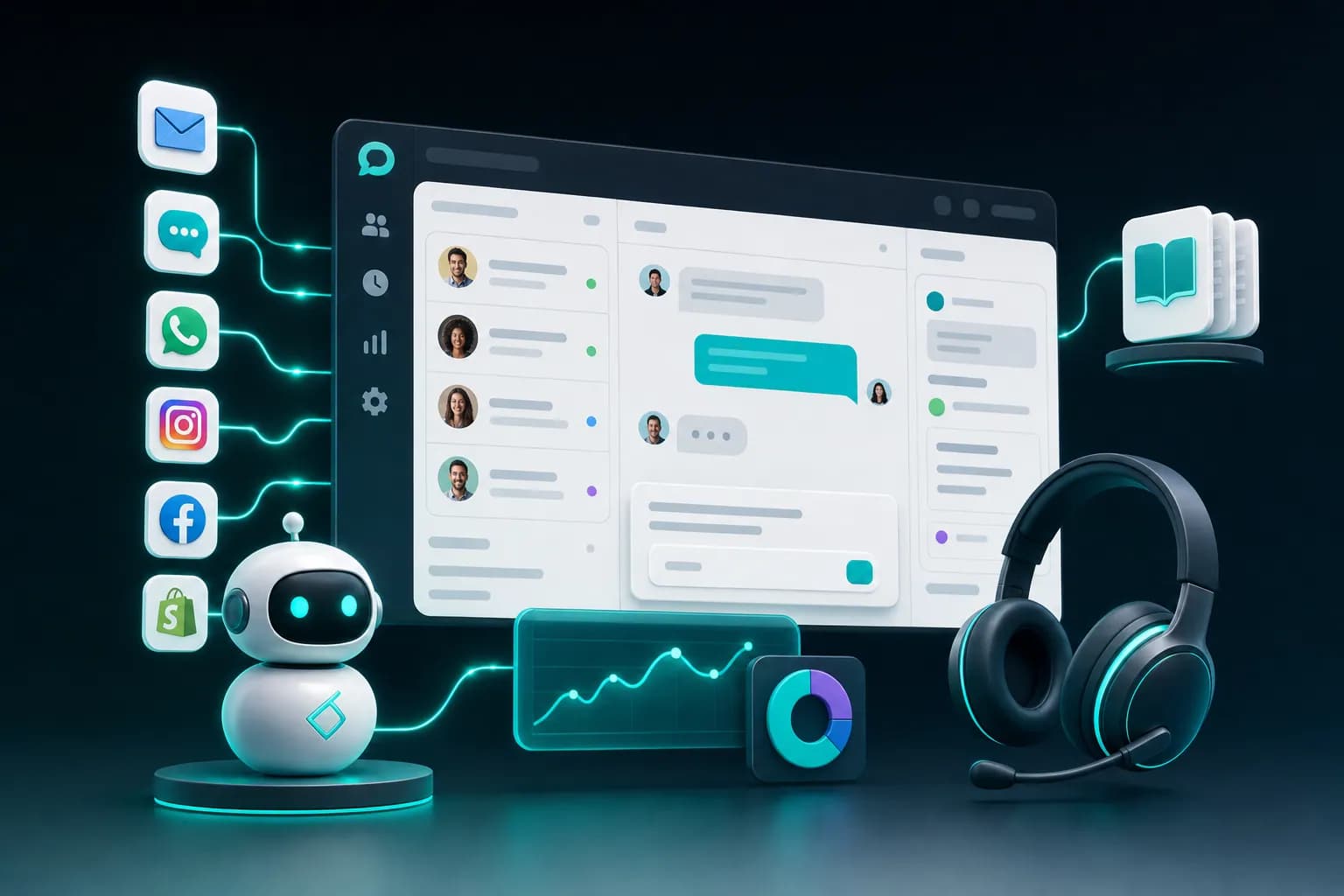
- Multi-channel intake: Collect tickets from email, website forms, chat, and social messages into one queue. Without this, you're still juggling multiple inboxes.
- Ticket tracking and assignment: Automatically assign tickets based on skills, availability, or round-robin. Manual assignment wastes 10–15 minutes per day on average in a 3–5 person support team.
- Customer-facing portal: Let customers see their ticket status without emailing you to ask. This cuts follow-up emails dramatically—some teams report 25–30% fewer "where is my response?" messages.
- Automation rules: Auto-reply to confirm receipt, escalate old tickets, tag issues by category. Even simple automation halves the time spent on routine work.
- Knowledge base integration: Link FAQs and documentation to tickets so agents can answer faster and customers can self-serve before submitting a ticket at all.
Beyond the basics, small businesses should look for systems that handle the specific problems they face. Many teams deal with repetitive questions: "Where is my order?" or "How do I reset my password?" A ticketing system that offers an AI agent to handle these automatically saves your team from answering the same question 50 times a week.
The Setup Complexity Problem
Implementation timelines matter to small businesses in ways they don't to enterprises. You can't afford to wait three weeks while a consultant configures your system. You need to be live and handling tickets within hours, not months.
Traditional helpdesk systems like Jira Service Management or Zendesk typically require 2–4 weeks of setup for a small team, even with their "simple" onboarding. You'll spend time mapping your processes, configuring custom fields, integrating your email, setting up automation rules, and training staff. That's time you don't have when you're a 3–5 person operation.
KnowDesk operates differently. It deploys in under 2 minutes without requiring code, API keys, or technical expertise. You point it to your existing knowledge sources—Google Docs, Notion pages, PDFs, or Confluence—and it immediately becomes your support widget. No configuration forms to fill. No weeks of integration work. The system understands your documentation and starts answering questions using your own content right away.
This speed matters because small businesses can't afford lost time. Every day your ticketing system isn't live is another day your customers are waiting for responses, and your team is drowning in email.
Automation and AI: The Real Cost Saver
Small teams operate on razor-thin margins. You might have one person handling support part-time along with 10 other responsibilities. Hiring another full-time support person can cost $30,000–$45,000 annually for a small business. That's why automation and AI are not luxuries—they're survival tools.
The most common customer support questions repeat endlessly. For a SaaS company, this might be account access issues, billing questions, and feature explanations. For an e-commerce business, it's order status, shipping times, and return processes. For a service business, it's scheduling, pricing, and service scope.
Instead of paying an agent $18/hour to answer "Where is my order?" 100 times a week, an AI agent handles it. It pulls real-time order data, checks shipping status, and responds in seconds. The agent doesn't need training, doesn't take breaks, and doesn't make mistakes in tone or information accuracy.
KnowDesk's WISMO (Where Is My Order/Status) agent specifically solves this for e-commerce and product-based businesses. It connects to Shopify natively and retrieves live order information. When a customer asks where their package is, the system shows them tracking details directly in the chat. No ticket is created. No human touches it. Your support team never sees it. Studies across support teams show this type of automation deflects 60–85% of repetitive status inquiries.
Beyond order inquiries, KnowDesk's AI agent answers documentation questions by reading your knowledge base automatically. If you've written FAQs in Google Docs or Notion, the AI learns from them. It answers new variations of old questions without an agent needing to intervene. For small businesses, this means 10–20 hours a week of agent time freed up.
Choosing Between Cloud and Self-Hosted Options
Small businesses face a choice: fully managed cloud systems or self-hosted solutions. This decision affects budget, security, and maintenance burden.
Cloud-based ticketing systems (like KnowDesk, Zendesk, or Freshdesk) handle all infrastructure. You pay a monthly fee, the vendor manages servers and backups, and you access the system through a web browser. Pros: zero IT maintenance, automatic updates, works immediately. Cons: recurring cost, data lives on the vendor's servers, less customization.
Self-hosted options (Osticket, Uvdesk community edition) run on your own server. Pros: one-time cost, full data control, unlimited customization. Cons: you manage everything—backups, security updates, server health. If your server goes down at 2 AM, you need someone to fix it. For a small business, this hidden time cost often exceeds the software savings.
The math rarely favors self-hosting for small teams. Even at "free," Osticket costs you in IT administration and risk. If your support system crashes during peak hours and you lose customer data, that damage far exceeds the monthly fee of a managed service. Cloud systems offer predictable costs, security responsibility handled by experts, and the ability to scale without infrastructure investment.
| Feature | Cloud-Based (KnowDesk) | Traditional Cloud (Zendesk) | Self-Hosted (Osticket) |
|---|---|---|---|
| Setup Time | Under 2 minutes, no code | 2–4 weeks typical | 4–8 weeks + IT work |
| Monthly Cost | Starts $29–$99 | Starts $19 but adds up fast per agent | Free to $500/year, but hidden IT costs |
| AI Agent Included | Yes, built-in WISMO + doc QA | Requires separate AI add-on ($50+/mo) | Requires third-party integration |
| Multi-Channel Intake | Email, chat, Shopify, web forms | Email, chat, social, phone | Email primarily |
| Knowledge Base Integration | Google Docs, Notion, PDF, Confluence native | Separate knowledge base module ($) | Basic, requires setup |
| Customer Portal | Branded widget, embedded | Separate portal URL, requires branding setup | Basic portal, significant customization needed |
| Live Agent Inbox | Yes, unified across all channels | Yes, requires configuration | Yes, basic email-focused |
| QA Reviews | Built-in, automatic scoring | Requires add-on tools | Not standard |
For small businesses specifically, cloud-based systems with built-in AI and native integrations win. You avoid IT headaches, skip setup time, and get modern features like QA scoring and AI deflection without paying for separate modules.
Integration With Tools You Already Use
Small businesses rarely start with a blank tool stack. You're already using Shopify for e-commerce, Google Docs for documentation, Notion for internal processes, or Confluence if you're slightly more technical. A new ticketing system must work alongside these—not force you to rebuild everything in its own proprietary format.
Native integrations save weeks. When a ticketing system connects directly to Shopify, it reads order data in real-time. When it reads Notion, your existing FAQs instantly become part of the AI knowledge base. When it ingests PDFs, return policies and product specs feed the agent automatically. No data export, re-entry, or format conversion.
KnowDesk integrates with your existing sources without touching your original files. You keep maintaining Google Docs where you've always maintained them. The ticketing system reads those docs live. If you update a policy in Notion, the AI sees the change immediately—no re-syncing, no manual updates.
This approach is fundamentally different from competitors who require you to migrate content into their platform. That migration is easy to promise but painful to execute. You have to decide which information goes where, re-format for their system, test everything, and hope nothing breaks. Small businesses with limited time can't afford that friction.
Measuring Success: Metrics That Matter
Once your ticketing system is running, you need to know if it's actually working. Small business owners should track metrics that directly affect revenue and customer retention, not vanity numbers.
The most important metrics are:
- First response time: How fast does your first message reach the customer? For small businesses, under 2 hours is competitive. This directly impacts perceived reliability. Customers who wait 4+ hours often escalate or leave negative reviews before you've even seen their ticket.
- Resolution time: How long from ticket open to close? This includes back-and-forth, not just your response time. Shorter resolution time frees agents to handle more tickets and reduces customer frustration from prolonged issues.
- Ticket volume handled per agent per day: With better tools and AI, one agent should handle more tickets. If your tooling is working, volume per agent increases 20–40% in the first month.
- Self-service deflection rate: What percentage of support requests never create a ticket because customers solved themselves via knowledge base or AI agent? For small businesses with solid documentation, 30–50% deflection is realistic. That's 15–25 fewer tickets your team handles weekly.
- Customer satisfaction score: Simple post-resolution surveys (1–5 stars) show if customers feel helped. Small businesses often find that faster response times alone bump satisfaction 8–15 points because speed signals that the company cares.
- Repeat inquiry rate: Do customers ask the same question twice? This suggests your knowledge base isn't accessible or your previous answer didn't stick. It's fixable. Add the question to FAQs with better wording, and future customers avoid creating duplicate tickets.
KnowDesk's Mission Control dashboard shows these metrics automatically. QA reviews flag quality issues before they affect customer perception. The email retention agent preserves conversation history so nothing gets lost. Live agent inbox shows all channels in one view, so you're not context-switching between email and chat.
Small business owners should review these metrics weekly, not quarterly. Customer support trends shift quickly. If response time is creeping up, it means your volume is outpacing capacity—time to hire or improve automation. If deflection rate is dropping, your knowledge base might be outdated.
Budgeting Realistically
Small business budgets are fixed. You can't overspend on support tools and expect growth. So what should you allocate to a helpdesk ticketing system?
Traditional ticketing platforms cost $50–$150 per agent per month once you add realistic features. A 3-person team is $150–$450/month minimum, often climbing to $600+ when you add AI, analytics, or integrations. Over a year, that's $1,800–$7,200 per agent.
KnowDesk starts at $29/month for 1 agent and scales to $299/month for unlimited agents and tickets. For a 3-person team, you're looking at $89–$299 depending on volume and features. That's 60–80% cheaper than traditional options, with AI and integrations included instead of bolted on as expensive add-ons.
The cost savings multiply when you account for setup time. If Zendesk costs $60/month but needs 40 hours of configuration (at $50/hour internal labor), your true cost is $60/month + $2,000 upfront. KnowDesk costs $29–$99/month with zero setup cost. The payback period on avoiding configuration labor is a matter of days.
Where should small businesses put their saved budget? Hiring a part-time second support person if volume justifies it. Training that person better. Improving documentation so fewer issues occur in the first place. Investing in customer success means you sell more and churn less, which dwarfs the savings from tool costs.
Common Pitfalls to Avoid
Small business support teams often make predictable mistakes when implementing ticketing systems. Knowing these traps helps you avoid them.
Pitfall 1: Picking a system based on feature count, not fit. You don't need 300 features. You need the 15 features that solve your actual problems. A ticketing system with 100 unused buttons creates UI confusion and wastes time learning things you'll never use. Smaller, focused systems are faster to adopt.
Pitfall 2: Skipping the knowledge base. Support teams think they'll "add documentation later." Later never comes. Build your knowledge base at the same time you deploy the ticketing system. That first month when tickets are flooding in is when you'll identify the most common questions. Document those immediately so the AI can start deflecting them.
Pitfall 3: Not setting SLAs (Service Level Agreements). Without a defined response time target, your team drifts. SLAs give structure: "We respond to all tickets within 4 hours" or "We resolve 80% of issues within 24 hours." Your ticketing system should track this. When you're falling behind SLAs, it's a signal to hire or automate more.
Pitfall 4: Using the system for internal notes instead of customer communication. Some teams treat the ticketing system as a collaboration tool for agents only, writing long internal debates about issues. That's what Slack is for. Ticketing systems should be customer-focused. Write brief, helpful responses the customer will read, not colleague memos.
Pitfall 5: Ignoring customer feedback on resolution. After closing a ticket, follow up. Ask "Did we solve your problem?" A simple 1-click survey takes seconds for customers but tells you immediately if the resolution actually worked. If 20% of closed tickets are reopened a week later, something in your process is broken.
Making the Final Decision
Choosing a helpdesk ticketing system means evaluating what you actually need versus what you can afford to maintain. For small businesses, this usually means favoring speed of setup, built-in AI, and low monthly cost over customization options you'll never use.
Start with a free trial. Take a sample of your most recent customer inquiries and work through them in the system. See how fast you can respond. Test the mobile app if your team works from home or on the road. Check integrations—does it connect to your Shopify store, Google Docs, and email without friction?
The right system will feel like less work after day one, not more. If you're spending your first week configuring fields and writing custom rules, that's a signal the system is too complex for your team. The best tools for small businesses disappear into the background. You focus on helping customers, not managing software.
KnowDesk was built specifically for this. Start a free trial and deploy in minutes—literally. Connect your Shopify store or point it to your documentation in Google Docs. The WISMO agent and AI knowledge base start working immediately with zero additional setup. Your team can be handling tickets through the unified live agent inbox within hours, not weeks. See pricing and confirm that sub-$100/month fits your budget for the first year of growth. That money back in your pocket buys customer success and retention far more effectively than any other investment in tools right now.