WhatsApp AI Chatbot for Customer Support 2026
Build WhatsApp AI chatbots for customer support with KnowDesk. Automate responses, reduce costs, and boost customer satisfaction instantly.

Quick answer
Discover how AI-powered WhatsApp chatbots transform customer support in 2026. Automate inquiries, cut response times, and improve satisfaction with KnowDesk.
On this page
- Why WhatsApp Is Becoming the Default Channel for Customer Support
- The Real Cost of Manual WhatsApp Support vs. AI
- What a WhatsApp AI Chatbot Actually Does in Customer Support
- Real-World Setup: How Fast Can You Actually Launch?
- Multi-Language Support and Global Scale
- Quality Control and Agent Oversight
- Deflection Rates and Business Impact
- Integration With Your Existing Tools
- Avoiding Common WhatsApp Chatbot Mistakes
- The Cost-Benefit Math for Your Business
- Setting Up Effective Knowledge Base for WhatsApp Success
- Compliance and Data Safety on WhatsApp
- Why KnowDesk Is the Fastest Path to WhatsApp AI Support
- Common Questions About WhatsApp AI Chatbots for Support
- Getting Started With WhatsApp AI Support Today
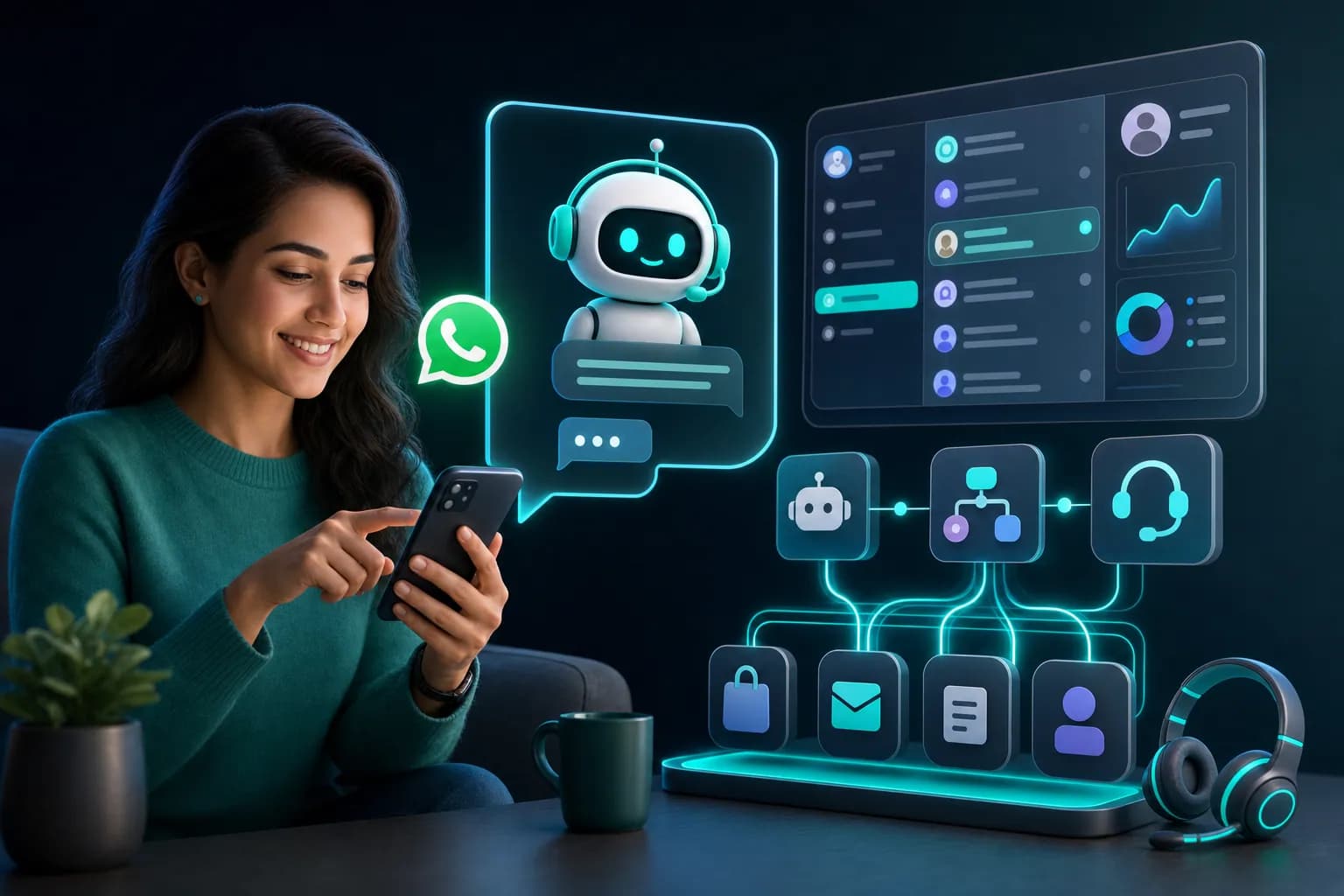
A WhatsApp AI chatbot for customer support answers customer questions 24/7 without human intervention, deflecting repetitive requests and connecting complex issues to live agents when needed. WhatsApp reaches 2.1 billion monthly active users globally, making it the channel where your customers already are. An AI chatbot deployed there handles order status checks, refunds, product questions, and billing issues in the customer's preferred language—cutting response time from hours to seconds and reducing support costs by up to 40%.
Why WhatsApp Is Becoming the Default Channel for Customer Support
In 2026, email response times still average 12–24 hours for most brands. WhatsApp response time? Under 5 minutes for AI-powered bots, often under 60 seconds. Customers expect support where they message friends, not in a separate portal or email chain they'll forget about.
WhatsApp Business API integrates with customer relationship management systems and knowledge bases, turning every incoming message into a support event that can be logged, reviewed, and escalated. The platform handles 100 billion messages daily, and roughly 80% of businesses with a WhatsApp presence report higher customer satisfaction than they see on email or phone.
But here's the gap: WhatsApp's native tools don't include AI. You need a third-party integration to add chatbot intelligence. Many brands either ignore WhatsApp for support or manually staff it like SMS, which defeats the cost-saving purpose entirely.
The Real Cost of Manual WhatsApp Support vs. AI
Let's ground this in numbers. A 50-person ecommerce company receives 200 WhatsApp messages per day asking about order status, shipping dates, and return policies. That's 1,000 messages per week.
If a support agent handles 6 messages per hour (typical on WhatsApp due to context-switching and brief lag between responses), you need 2.7 full-time agents working whatsapp shifts to stay within 4-hour response windows. At $35,000 per year in fully loaded cost (salary, benefits, tools), that's $94,500 annually just to answer questions a bot could handle in 10 seconds.
A WhatsApp AI chatbot powered by your actual knowledge base answers 70–85% of those incoming questions without human touch. Suddenly your 2.7 agents drop to 0.4 agents on WhatsApp, or one part-time person monitoring escalations and quality. That's an $66,000+ annual saving.
But the real gain isn't just cost. It's speed. A customer messaging at 9 PM on a Sunday gets a response about their order in seconds. They don't need to wait until Monday morning. That's the difference between a customer thinking "your support is fast" and "your support is gone."
What a WhatsApp AI Chatbot Actually Does in Customer Support
A production-grade WhatsApp AI chatbot isn't a simple keyword responder. It reads natural language, understands context, and retrieves answers from your actual knowledge sources—not from generic templates.
When a customer asks "Where is my order?", the bot:
- Identifies the customer (via WhatsApp phone number linked to your CRM)
- Searches your order database for recent orders
- Pulls tracking data and estimated delivery date
- Responds in the customer's language (support for 40+ languages)
- Logs the interaction for your team to review
- Escalates to a live agent if the order is missing, damaged, or requires a refund
For a question like "Do you offer international shipping?", the bot queries your knowledge base (Google Docs, Notion, PDF, Confluence, or Shopify product pages) and returns the exact policy without guessing.
The key difference between amateur and production-ready bots: they know when they don't know something. If a question falls outside the training data or requires a human judgment call, the bot says so and hands it to a live agent with full context already loaded.
This is called WISMO deflection—"Where Is My Order" handling. But production systems also handle billing disputes, product recommendations, refund status, return requests, and account changes. The more comprehensive your knowledge base, the higher the deflection rate.
Real-World Setup: How Fast Can You Actually Launch?
Most WhatsApp chatbot platforms require custom code, API configuration, and Zapier workflows to connect to your data. You hire a developer or consultant. 4–6 weeks later, you have a bot. If it breaks, you wait for the contractor to fix it.
KnowDesk deploys a WhatsApp AI chatbot in under 2 minutes. You sign up, connect your knowledge base (Google Docs, Notion, PDF, Confluence, or Shopify store), authenticate your WhatsApp Business account, and go live. No code. No developer needed. No waiting.
Here's what that looks like in practice:
- Minute 1: Connect your knowledge base. If you use Notion for support documentation, KnowDesk reads it directly. Same for Google Docs, Shopify product pages, PDFs, or Confluence wikis.
- Minute 2: Link your WhatsApp Business account via the official Meta API. KnowDesk handles the authentication; you don't touch the API yourself.
- After 2 minutes: The bot is live. Incoming WhatsApp messages are answered from your knowledge base automatically. Your team sees everything in a live agent inbox, can review conversations for quality, and can jump in to help when needed.
Compare this to competitors:
| Platform | Setup Time | Requires Coding | Knowledge Base Integration | Live Agent Inbox | QA Reviews |
|---|---|---|---|---|---|
| KnowDesk | Under 2 minutes | No | Native (Docs, Notion, PDF, Confluence, Shopify) | Yes | Yes |
| Gupshup | 3–5 days | Yes | Custom API only | Yes | No |
| Twilio | 5–10 days | Yes | Custom integration required | Yes | No |
| Intercom | 1–2 weeks | Partial | Limited | Yes | Yes |
Speed matters because your competitors are launching WhatsApp support now. If you're still in setup mode in 3 months, they're already deflecting 300+ support tickets per week on WhatsApp while you field them manually.
Multi-Language Support and Global Scale
WhatsApp is global. Your customers in Mexico, India, Germany, and Brazil expect support in their native languages. A monolingual chatbot in English will have a much lower deflection rate and higher escalation rates in non-English markets.
KnowDesk's WhatsApp chatbot supports 40+ languages natively. When a customer messages in Spanish, the bot responds in Spanish. When another messages in Mandarin, the response is in Mandarin. The language detection is automatic; you don't configure it per customer.
This matters because 60% of non-English speakers won't engage with customer support in English, according to 2025 Statista data. They'll abandon the chat or escalate unnecessarily. A multi-language bot cuts that abandonment rate to near zero for supported languages.
If you serve global markets—ecommerce, SaaS, marketplaces—you can't afford a single-language WhatsApp bot.
Quality Control and Agent Oversight
AI bots make mistakes. Sometimes they misunderstand a question and give a wrong answer. Sometimes they miss context and provide outdated information. Without oversight, these errors compound.
That's why production WhatsApp AI chatbots include QA reviews. Your team reviews bot responses (a sample or 100% of them) before they reach customers, flags errors, and retrains the model. This is different from monitoring escalations; this is reviewing what the bot got right.
KnowDesk includes native QA reviews in Mission Control. Your team sees every bot message, marks it correct or incorrect, and the system learns from the feedback. If the bot frequently mishandles refund requests, you can retrain it or redirect those conversations to live agents automatically.
You also have a live agent inbox. If a customer message comes in and the bot can't answer, the customer sees a message like "Thanks, I'm connecting you with a team member." The message lands in your inbox (not in WhatsApp buried under other chats), with the customer context already loaded. Your agent replies without the customer having to repeat themselves.
Deflection Rates and Business Impact
Deflection rate—the percentage of customer questions answered by the bot without human intervention—typically ranges from 60% to 85% for well-trained bots. This isn't 100% because some questions are genuinely complex or require human judgment.
A SaaS company with 500 WhatsApp support questions per month, currently staffed with 1.5 full-time agents (costing $52,500 annually), could deflect 350 of those 500 questions with a WhatsApp AI chatbot. That drops the agent load to answering 150 questions per month. One agent can handle that easily, cutting the cost to $35,000 and freeing up that second agent for higher-value work like onboarding or success.
But deflection is a trailing indicator of customer satisfaction. The real metric is resolution time. A customer asking about an order status shouldn't wait 8 hours for an agent email. They should get an answer in 30 seconds via WhatsApp. A WhatsApp AI bot delivers that.
In 2026, brands measuring support quality by "first response time" are outdated. The metric that matters is "resolution time"—how fast does the customer get an answer to their specific question? Bots win on this metric by orders of magnitude.
Integration With Your Existing Tools
A WhatsApp chatbot is only as good as the data it draws from. If your knowledge base is outdated, the bot gives outdated answers. If your bot can't talk to your order database, it can't confirm shipping status.
KnowDesk integrates with the tools you already use. If you document support information in Google Docs, KnowDesk reads it directly—no export, no import, no manual syncing. If you use Notion as your knowledge base, same thing. PDF files, Confluence wikis, Shopify product pages—all native integrations.
When you update your Google Doc with new shipping policies, the WhatsApp bot's knowledge updates automatically within seconds. You don't need to retrain the model or redeploy anything. The system stays in sync.
For order-specific questions (tracking, refunds, returns), the bot can query your Shopify store or your internal APIs if configured. A customer asks "When will my order arrive?" and the bot pulls real-time tracking data from your fulfillment system. That's not a canned answer; that's live information delivered in seconds.
Avoiding Common WhatsApp Chatbot Mistakes
Many brands launch WhatsApp bots and see mediocre results. Usually it's because they made one of these mistakes:
- Weak knowledge base: If your bot is trained only on FAQ snippets, it can't handle nuanced questions. It needs your full documentation, help articles, policies, and product information to deflect effectively. KnowDesk connects directly to your living knowledge base (Notion, Google Docs, PDFs), so as you write better docs, the bot gets smarter automatically.
- No context from customer data: A bot that can't identify the customer can't look up their order or account. It has to ask "What's your order number?" repeatedly. A production bot integrates with your CRM or order database to identify customers by phone number and load their context instantly.
- Sending canned responses instead of dynamic answers: Customers can tell the difference between a template response and an answer pulled from your actual knowledge base. Templates escalate to live agents faster because customers don't trust them. KnowDesk retrieves answers from your actual sources, so responses feel authentic and accurate.
- No escalation path: If a bot can't hand off to a human, it frustrates customers. A production bot recognizes when a question is outside its scope and routes it to a live agent with full context. This shouldn't require the customer to repeat themselves or wait for the next available agent.
- No oversight or retraining: If you can't see what the bot is saying or fix errors, you're flying blind. Your team should review bot responses, flag incorrect ones, and improve the model continuously. This requires visibility and tooling, not just a bot API.
The Cost-Benefit Math for Your Business
Let's calculate the actual ROI for a WhatsApp AI chatbot in three different business scenarios.
Scenario 1: Small ecommerce store (100 orders/day, 150 WhatsApp support questions/day)
Current setup: 1 full-time support agent, no WhatsApp automation. Cost: $35,000/year. Response time: 4–6 hours. Deflation rate: 0% (all questions answered manually).
With WhatsApp AI chatbot: 75% deflection rate (113 questions answered by bot daily). Agent now handles 37 questions/day instead of 150. One agent still covers it, but they're 75% less busy. You can reduce to 0.5 FTE or redeploy that agent to product descriptions and content, improving your store. Cost: $1,500–2,500/year for the chatbot. Savings: $17,500–18,500/year. Response time: 30 seconds (bot) for 75% of questions, 2–3 hours (agent) for the rest.
Scenario 2: Mid-size SaaS product (200 sign-ups/month, 300 WhatsApp support questions/month)
Current setup: 1.5 full-time support agents, basic knowledge base. Cost: $52,500/year. Response time: 8–12 hours. Deflation rate: 15% (complex product, many questions require human judgment).
With WhatsApp AI chatbot (fed by comprehensive Notion knowledge base): 65% deflection rate (195 questions answered by bot). Agent load drops to 105 questions/month. One agent covers it easily. You fire 0.5 FTE or reassign to customer success. Cost: $2,400/year for chatbot (plus engineering time to build comprehensive knowledge base, ~40 hours one-time). Savings: $17,500/year ongoing. Response time: 45 seconds (bot) for 65%, 4–6 hours (agent) for complex issues.
Scenario 3: Large marketplace (5,000+ vendors, 2,000 support questions/day across WhatsApp, email, chat)
Current setup: 8 full-time support agents, ticket management system, no WhatsApp presence yet. Cost: $280,000/year (salary and tools). Response time: 6–24 hours depending on channel. Deflation rate: 30% (many questions are vendor-specific).
With WhatsApp AI chatbot (trained on Confluence wiki + vendor-specific docs): 60% deflection rate (1,200 questions/day answered by bot). Agent load drops from 2,000/day to 800/day. You reduce from 8 agents to 5. Cost: $5,000–8,000/year for chatbot. Savings: $105,000/year. Response time: 35 seconds (bot) for 60%, 3–4 hours (agent) for escalations. Bonus: vendors on WhatsApp feel supported immediately, reducing churn.
The math is consistent across all three scenarios: a WhatsApp AI chatbot reduces support costs by 30–50% while improving response time by 10x–20x for the majority of questions.
Setting Up Effective Knowledge Base for WhatsApp Success
The bot is only as smart as your knowledge base. If you dump FAQ text into the system with no structure, deflection rates will stall around 40%. If you organize your knowledge thoughtfully, you'll hit 75%+ deflection.
Here's how to structure your knowledge base for a WhatsApp chatbot:
- Start with actual customer questions. Not what you think customers ask. What they actually ask. Export your email or chat history from the last 3 months and pull out the top 50 unique questions. These are your content priorities.
- Write answers with context, not templates. "You can return items within 30 days" is weaker than "Items purchased on your account page can be returned within 30 days of the order date. Include a reason at checkout, and we'll process refunds within 5 business days. If the item was defective, we'll cover return shipping." The second answer handles objections the bot will encounter.
- Organize by customer journey, not by department. Structure docs around "how do I X?" not "Support Policies" and "Company Info". A bot trained on journey-based docs will handle more questions naturally.
- Update frequently. If a product launches, add it to your knowledge base immediately. If a policy changes, update it that day. Stale documentation breaks bot accuracy faster than anything else.
- Keep answers concise for WhatsApp. WhatsApp isn't email. Long paragraphs don't work. Answers should be 2–3 sentences max. If the full answer needs 5+ sentences, link to a help article or offer to connect with an agent.
KnowDesk works directly with Notion, Google Docs, PDFs, and Confluence, so you build your knowledge base in the tool you already use. No special format, no export/import cycles. Write once, bot uses it immediately.
Compliance and Data Safety on WhatsApp
WhatsApp is encrypted end-to-end. Customer conversations are private between the customer and your business. But that also means your bot needs to handle sensitive data correctly.
If a customer shares their account number, order ID, or password in a WhatsApp message, your bot should recognize it, not repeat it, and handle it securely. PII (personally identifiable information) should be logged only if necessary and deleted according to your data retention policy.
KnowDesk includes email retention agent controls, allowing you to define what data the bot retains and for how long. Conversations are logged for your team to review (for QA and escalations), but you control the retention window. This keeps you compliant with GDPR, CCPA, and other privacy regulations.
Also verify that your WhatsApp Business account is verified (blue checkmark) and that you're using the official Meta API, not a third-party reseller. This ensures your messages aren't rate-limited and that your security posture is solid.
Why KnowDesk Is the Fastest Path to WhatsApp AI Support
You could build a WhatsApp chatbot yourself. Hire a developer. Use Twilio's API. Set up Zapier workflows to connect to your data. Write custom Python code to handle escalations. Six weeks later, you have a bot. Four months after that, you've debugged the issues your customers found.
Or you can use a platform built specifically to do this without code.
KnowDesk's advantage isn't that it's a chatbot platform. It's that it's built for support teams who need to launch and iterate fast, without hiring developers. Your team knows your knowledge base better than any contractor. Your team knows what customers actually ask. Your team should control the bot's behavior, not wait for a developer to deploy changes.
That's why the under-2-minute setup matters. It's not about being faster than competitors. It's about getting your bot live while your knowledge base is fresh and while customer questions are still at the top of your mind. Delay, and you'll build the wrong bot based on assumptions instead of data.
The brand gate feature ensures that when customers click through from your WhatsApp chat to your help center or knowledge base, they see your branding, not a generic support portal. They stay in your ecosystem.
The WISMO agent handles "Where Is My Order?" inquiries automatically—the single most common support question for ecommerce. This alone can deflect 20–30% of your total support volume if you're an online retailer.
The live agent inbox means your team doesn't need separate tools to respond to escalated WhatsApp messages. Everything is in one place. You see the bot's conversation history, the customer's context, and can jump in without any setup.
Mission Control gives your team visibility into what the bot is saying. You can review responses, flag errors, and improve the model continuously. This is the difference between a bot that works well on day one and then degrades, and a bot that improves every week.
Common Questions About WhatsApp AI Chatbots for Support
Will customers think they're talking to a bot, and will they be annoyed?
Yes, they'll know it's a bot initially. No, they won't be annoyed if it solves their problem in 30 seconds. The annoyance comes from bots that are slow, vague, or can't escalate. A WhatsApp bot that answers "Your order arrives tomorrow" or "We offer international shipping to 80 countries" in seconds actually increases customer satisfaction. People don't mind talking to a bot if the bot works.
Can a WhatsApp chatbot handle complex refund requests?
It depends on how you define "complex." A bot can collect information ("Which order?", "What's the reason?") and check your refund policy ("Apparel items can be returned within 14 days for a refund"). But a decision that requires judgment ("Is this a special case?") should go to a human. A production bot routes these to a live agent automatically with all the context already loaded.
How long does it take to see ROI?
If your bot is set up correctly and fed with a comprehensive knowledge base, you'll see measurable deflection and cost savings within the first month. Most customers see 40–60% deflection within 6 weeks and hit 70%+ by month three as the system learns from QA reviews.
What if customers don't want to use WhatsApp for support?
Some won't. That's fine. The bot doesn't replace your email or phone support; it adds a new channel. But the data shows adoption is fast. Once customers know you answer on WhatsApp, WhatsApp traffic becomes your highest-volume support channel within 60 days at most ecommerce and SaaS companies.
Getting Started With WhatsApp AI Support Today
If you're running support manually and watching your costs climb every quarter, a WhatsApp AI chatbot is the fastest, cheapest way to scale without hiring more agents. The technology is proven. The ROI is concrete. The only variable is how quickly you can launch.
KnowDesk is purpose-built for teams that need to launch AI support fast. Under 2 minutes from signup to live bot. Native integrations with Google Docs, Notion, Confluence, PDFs, and Shopify. QA reviews and Mission Control so you own the bot's behavior. A live agent inbox that puts escalations where they belong—in one unified place, not buried in WhatsApp.
Your customers are already on WhatsApp. They're messaging friends, ordering food, hailing rides on WhatsApp. When they have a question about your product, they'd rather message you on WhatsApp than email. You're leaving deflection on the table every day you don't have a bot there.
Start a free trial of KnowDesk today. Connect your knowledge base, authenticate WhatsApp, and your bot goes live in minutes. No code, no developer, no waiting. See your first deflections happen in real time.