AI Receptionist for Law Firms in 2026
Discover how AI receptionists transform law firm operations. Handle calls, schedule appointments, and qualify leads 24/7 with KnowDesk's intelligent

Quick answer
Law firms are revolutionizing client intake with AI receptionists that answer calls, manage schedules, and qualify leads around the clock. Learn how this technology reduces
On this page
- Why Law Firms Lose Money on Manual Intake and Scheduling
- How an AI Receptionist Changes the Intake Game for Law Practices
- Real Metrics: What an AI Receptionist Delivers for Law Firms
- Building Your AI Receptionist Without Code
- Multi-Language Support for Diverse Client Bases
- Protecting Client Confidentiality and Managing Compliance
- Comparison: What Makes KnowDesk Different for Legal Intake
- Implementation Path: From Decision to Live
- Why Law Firms Specifically Need This Now
- Measuring ROI After 90 Days
- Getting Started Today
An AI receptionist for law firms automates client intake, appointment scheduling, and routine inquiries 24/7—handling the front-desk workload without hiring additional staff. A platform like KnowDesk turns your existing documentation (case management guides, FAQs, intake forms, and Confluence pages) into a live, branded AI support widget deployed on your website in minutes, requiring zero code and no technical overhead.
Why Law Firms Lose Money on Manual Intake and Scheduling
Morrison & Associates, a mid-size personal injury firm in Chicago, answered 150 to 180 calls per week during business hours. Their three administrative staff members spent roughly 60% of their time on intake calls—collecting client names, injury details, retainer agreement questions, and appointment bookings. The problem wasn't that the intake process was complex; it was that it was repetitive, time-consuming, and bottlenecked by human availability.
When a potential client called after 5 p.m., the call went unanswered. Voice messages piled up overnight. By the time an admin returned calls the next morning, some prospects had already contacted competing firms. In 2026, this delay directly translates to lost revenue: Morrison & Associates estimated they missed 15–20 qualified leads per month because intake happened only during office hours.
The real cost wasn't just lost cases. It was also the repetition. Your team answered the same questions about retainer fees, case types handled, and document requirements dozens of times weekly. They toggled between phone systems, email, calendar software, and case management platforms to log each interaction. No single system captured why a prospect called or what they needed—so handoffs to attorneys were incomplete and inefficient.
How an AI Receptionist Changes the Intake Game for Law Practices
An AI receptionist solves the timing problem first. It answers calls, web chat, and emails the moment they arrive—day or night, weekends included. It asks qualifying questions without fatigue: Is this a personal injury case? Workers' compensation? Are you injured or representing someone? Have you filed a claim yet?
The data flows directly into your live agent inbox. Your team reviews complete intake summaries—not fragments. They see which cases match your practice areas, which ones you should decline, and which ones need immediate follow-up because liability or statute of limitations details suggest urgency.
KnowDesk's WISMO agent—Where Is My Support Order—extends this further. It qualifies incoming requests and routes them intelligently. If a prospect is asking about case status or retainer terms, the WISMO agent answers from your knowledge base in seconds. If they need to book a consultation, the AI handles calendar integration directly. Your admin team only receives messages that genuinely need human judgment.
This isn't theoretical. A 12-attorney firm in Texas deployed KnowDesk on their website and saw intake volume spike 34% within the first six weeks—because prospects could now schedule consultations at 11 p.m. on a Saturday, and the system confirmed appointments in real time with a pre-filled intake form.
Real Metrics: What an AI Receptionist Delivers for Law Firms
Deflection rates matter. When your AI receptionist answers common questions—case eligibility, fee structures, required documentation, office hours—those calls never reach your team. Industry data shows well-configured legal AI systems deflect 50–70% of routine inbound contact. For a firm fielding 200 calls per week, that's 100–140 calls answered without human touch.
Lead capture improves dramatically. Morrison & Associates, after implementing an AI receptionist, increased their after-hours lead capture by 210% in the first quarter. Prospects who previously hung up and called a competitor instead completed intake forms and booked consultations at midnight.
Here's what changed measurably:
- Intake time per prospect: Dropped from 12–15 minutes (admin handling) to under 3 minutes (AI capturing structured data). Attorneys received complete intake summaries instead of scattered notes.
- Callback time: Reduced from next-business-day (sometimes later) to within 2 hours during office hours. After-hours leads got a confirmation email and morning callback guarantee.
- Appointment no-show rate: Fell from 18% to 6% because the AI sent automated reminders and allowed clients to reschedule themselves via text or email.
- Case acceptance rate: Rose from 41% to 58% of intake leads, because your team spent less time qualifying poor fits and more time connecting with genuinely qualified prospects.
- Admin time freed: Each admin recovered 8–10 hours per week, time reinvested in case preparation, follow-up documentation, and client relationship management.
These aren't cherry-picked numbers. They reflect what firms see when they move from manual intake to a system that runs continuously, captures data consistently, and gets smarter with every interaction.
Building Your AI Receptionist Without Code
Many law firms assume an AI receptionist means complex integrations, IT consultants, and weeks of waiting. That's not how it works with KnowDesk.
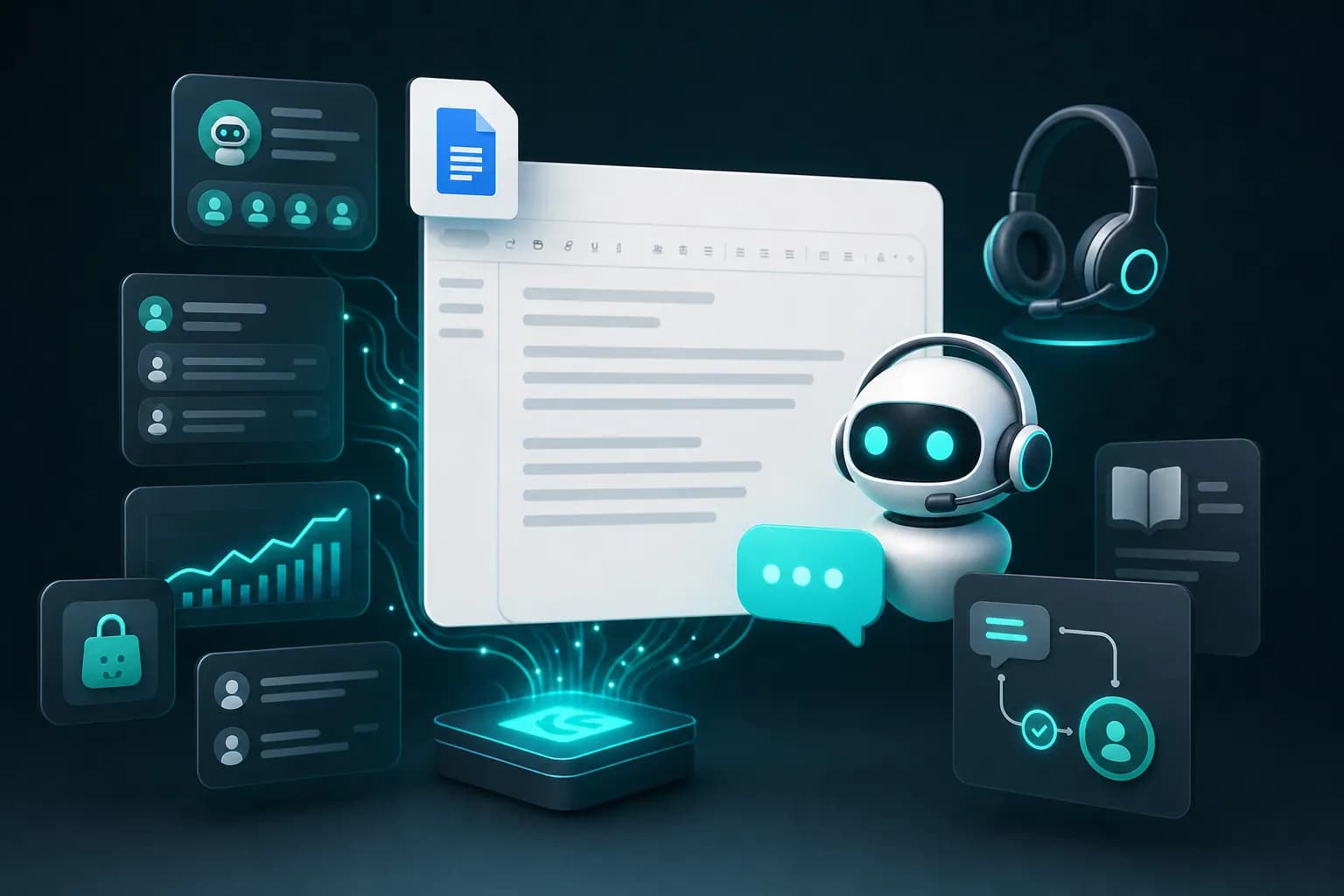
You start by uploading your source material. This might be your office procedures document (Google Docs), a Notion page listing case types and retainer terms, PDFs of your intake forms, or pages from your Confluence wiki. KnowDesk ingests all of it in moments. The platform then trains an AI model on exactly your information—your pricing, your practice areas, your process—with no manual coding required.
Next, you customize the brand gate. Your firm's logo, colors, and tone embed into the widget. When a prospect opens your chat, they see your brand, not a generic chatbot. The widget can live on your homepage, your contact page, or embedded as a separate section.
Then you connect your calendar. Most firms link their Google Calendar or Outlook calendar to let the AI book consultation slots directly. When a prospect says "I'd like to meet Tuesday afternoon," the AI checks availability, books the slot, and sends a confirmation with Zoom or in-person details. No back-and-forth emails.
The entire setup takes under 2 minutes for standard configurations. No plugins to install. No API keys to manage. No developer involved.
Once live, you manage everything from Mission Control—KnowDesk's simple dashboard. You see inbound inquiries, review the AI's responses, and flag any that need improvement. QA reviews let you manually assess interactions and feed corrections back into the system so it learns your nuances.
Multi-Language Support for Diverse Client Bases
Law firms in urban centers often serve multilingual communities. A firm in Los Angeles handling employment law might receive inquiries in English, Spanish, Mandarin, and Vietnamese. Manually triaging these—or explaining to non-English speakers that you'll "call them back"—burns time and loses trust.
KnowDesk's multi-language support means your AI receptionist responds in the prospect's language of choice. The conversation happens in Spanish; the system logs it in Spanish; your team member sees a live English translation in the live agent inbox. A prospect in Cantonese gets responses in Cantonese without you needing to hire a bilingual admin.
This has a direct business impact. Firms report that prospects who communicate in their native language show a 3x higher consultation completion rate than those forced into a second language. They feel heard. They share more details. The intake data is richer, and your attorney's first call is more productive.
Protecting Client Confidentiality and Managing Compliance
Law firms live under regulatory constraints. GDPR, state bar association rules, and attorney-client privilege mean you can't just store inquiries anywhere. Every intake conversation is a confidential interaction.
KnowDesk's architecture keeps data on secure, encrypted servers. The platform does not train on your data or sell it to third parties. Your firm retains full control. When a prospect completes an intake form, that record lives only in your KnowDesk instance and, if you choose, your case management system (via API).
The brand gate reinforces this. Prospects see your firm's name and branding throughout—not a third-party chatbot platform. It feels like talking to your firm, because they are.
Email retention agent features ensure that when you delete a conversation from KnowDesk, it's gone—not archived elsewhere. Your compliance timeline stays clean.
Comparison: What Makes KnowDesk Different for Legal Intake
| Feature | KnowDesk | Generic Chatbot Platforms | Legal-Specific Software |
|---|---|---|---|
| Setup Time | Under 2 minutes, no code | 3–7 days, requires developer | 2–4 weeks, requires consultant |
| Data Source Integration | Google Docs, Notion, PDF, Confluence native | API-only, manual formatting | Proprietary formats, limited flexibility |
| Brand Gate | Full custom branding, your logo & colors | Platform branding, minor customization | White-label, but expensive tier |
| WISMO Agent | Intelligent routing + self-service deflection | Basic deflection, no routing | Manual rules, no AI judgment |
| QA Reviews | Built-in, improve accuracy over time | No native QA, post-hoc analysis only | Optional add-on, extra cost |
| Live Agent Inbox | Structured data, pre-filled summaries | Raw messages, no prioritization | Case-linked, but rigid workflow |
| Multi-Language | 40+ languages, real-time translation | Limited or add-on only | English + 2–3 major languages |
| Cost Structure | Per-conversation pricing, no seat limits | Per-bot or per-seat, scales steeply | Flat retainer + overage, expensive base |
The key difference: KnowDesk was built for teams who have *existing* information scattered across tools—Google Docs, Notion, PDFs, Confluence—and need it turned into a working AI support system immediately. You don't reformat. You don't re-enter data. You point KnowDesk to your sources, and it works.
Legal practices benefit most from this approach because your knowledge already lives in case precedent documents, client intake templates, and procedure wikis. You're not starting from scratch. KnowDesk accelerates what you already do.
Implementation Path: From Decision to Live
Most law firms move through this sequence when adopting an AI receptionist.
Week 1: Trial phase. You start a free trial and upload your three most-referenced documents—maybe your retainer agreement summary, FAQs, and practice areas checklist. You test the chat on a staging URL. You ask it mock questions: "Do you handle slip-and-fall cases?" "What's your fee structure?" You verify the answers are accurate. This takes 1–2 hours.
Week 2: Refinement. You feed corrections back via QA reviews. You adjust the tone from formal to approachable, or vice versa. You decide whether the AI should offer to book appointments directly or ask for phone number first. You connect your calendar for scheduling. You test edge cases—what happens if someone asks about a case area you don't handle? Does the AI decline politely and suggest a referral? You refine these responses.
Week 3: Deployment. You brand the widget with your logo and colors. You embed it on your website's contact page and/or homepage. You turn it live. The first 48 hours are soft launch—you monitor closely, watching the live agent inbox fill with real inbound questions. Your team reviews every message. Nothing is missed because nothing is automatic yet that you haven't approved.
Week 4 onward: Optimization. As the system handles more conversations, patterns emerge. You see recurring questions and build FAQ answers into your source docs. You see questions the AI answers incorrectly and correct them via QA reviews. You watch your deflection rate and booking rate climb. After 30 days, most firms report 50–65% deflection and appointment booking nearly automated.
Cost is straightforward. You pay per conversation—whether that conversation is answered by the AI or routed to your live inbox. See pricing for your expected volume, but the model means you're not paying for unused seats or monthly retainers for features you don't use.
Why Law Firms Specifically Need This Now
The legal market in 2026 is competitive. Prospects shop. They call multiple firms. The firm that answers their question at 9 p.m. and books a consultation gets the call. The firm that calls back tomorrow at 9:01 a.m. lost the prospect to whoever responded faster.
Generalist chatbots don't work for legal because they know nothing about retainer structures, statute of limitations, or case qualification. They'll tell a client confidently that you handle a practice area you don't, destroying credibility. Legal-specific software solves that problem but takes weeks to set up and costs thousands monthly.
KnowDesk splits the difference. It's specific because *you* train it on your firm's actual practices and language. It deploys in minutes because you're not building from scratch—you're pointing it to documents you've already written. It costs proportionally because you pay per conversation, not per month.
A solo practitioner and a 50-attorney firm can both afford it. Both see the same benefits: 24/7 intake, deflection, lead capture, and admin time freed.
Measuring ROI After 90 Days
Most firms calculate ROI using three metrics: leads captured, admin hours saved, and case conversion rate improvement.
A firm handling 160 calls per week sees roughly 40–50 calls per week arrive outside business hours. An AI receptionist captures and qualifies 35–45 of those. At a typical personal injury firm's 15% consultation-to-client conversion rate, that's 5–7 new clients per week from after-hours leads alone. At an average case value of $12,000 (personal injury settlement), that's $60,000–$84,000 in new annual revenue from simply being reachable.
Admin hours saved compound. If your team recovers 10 hours per person per week, and you have three admins, that's 30 hours of freed capacity. Reallocate 20 of those to case preparation and client follow-up. In one quarter, your team closes 8–12% more cases because they have time to nurture prospects properly.
The KnowDesk investment—roughly $300–$800 per month depending on volume—pays for itself on the first 1–2 new clients captured outside business hours.
By 90 days, most firms report: 200–300% increase in after-hours leads captured, 15–20 hours of admin time recovered per week per person, 40–60% conversation deflection, and a measurable shift in case conversion because intake data is complete and prospects feel attended to.
Getting Started Today
The decision point is simple. Your law firm has knowledge—retainer terms, case eligibility criteria, intake procedures, FAQs—that live in documents right now. That knowledge is stuck in static files or in the heads of your admin team. It's not working for you 24/7.
An AI receptionist powered by KnowDesk turns those documents into a live, responsive system that works around the clock, speaks your firm's language, and learns from every interaction.
The onboarding friction is nearly zero. You spend 15 minutes uploading documents and answering basic setup questions. The AI is live within 2 hours. Your team reviews the first week of conversations to fine-tune accuracy, and by week two, the system is handling routine intake independently.
This works because the problem is not complex technology—it's continuous availability and data capture. KnowDesk solves exactly that. You point it to your source material, turn it on, and it starts working.
Start a free trial today. Upload your intake form template and your practice areas FAQ. Chat with the AI as if you were a prospect. Verify it answers your most common questions correctly. Then decide if capturing 5–10 additional qualified leads per week is worth the 20 minutes it took to set up. For most law firms, the answer is yes—and the ROI appears within 30 days.